Know Your Rate – Free Freelance Rate Calculator + Invoice Template (Excel)
Find your minimum hourly and day rate, then send a clean printable invoice. Excel workbook with auto totals, tax line and due date.
Free (pay what you want) · Get it on Gumroad
It's 22:40. The proposal is open on your screen, and the only empty line is the one with your rate. You type a number. You delete it. You type a smaller one, because smaller feels safer, and the client did say the budget was tight.
You hit send and close the laptop. Then, in the dark, a quiet thought: that doesn't cover the unbilled hours, the week off, the tax you'll owe. You don't know that for sure. You just never checked.
Once you've worked out your minimum, the question changes. You're no longer guessing, you're reading a number. The next invoice goes out clean, with a due date on it, and you can say your price in a calm voice.
What you get – real screenshots
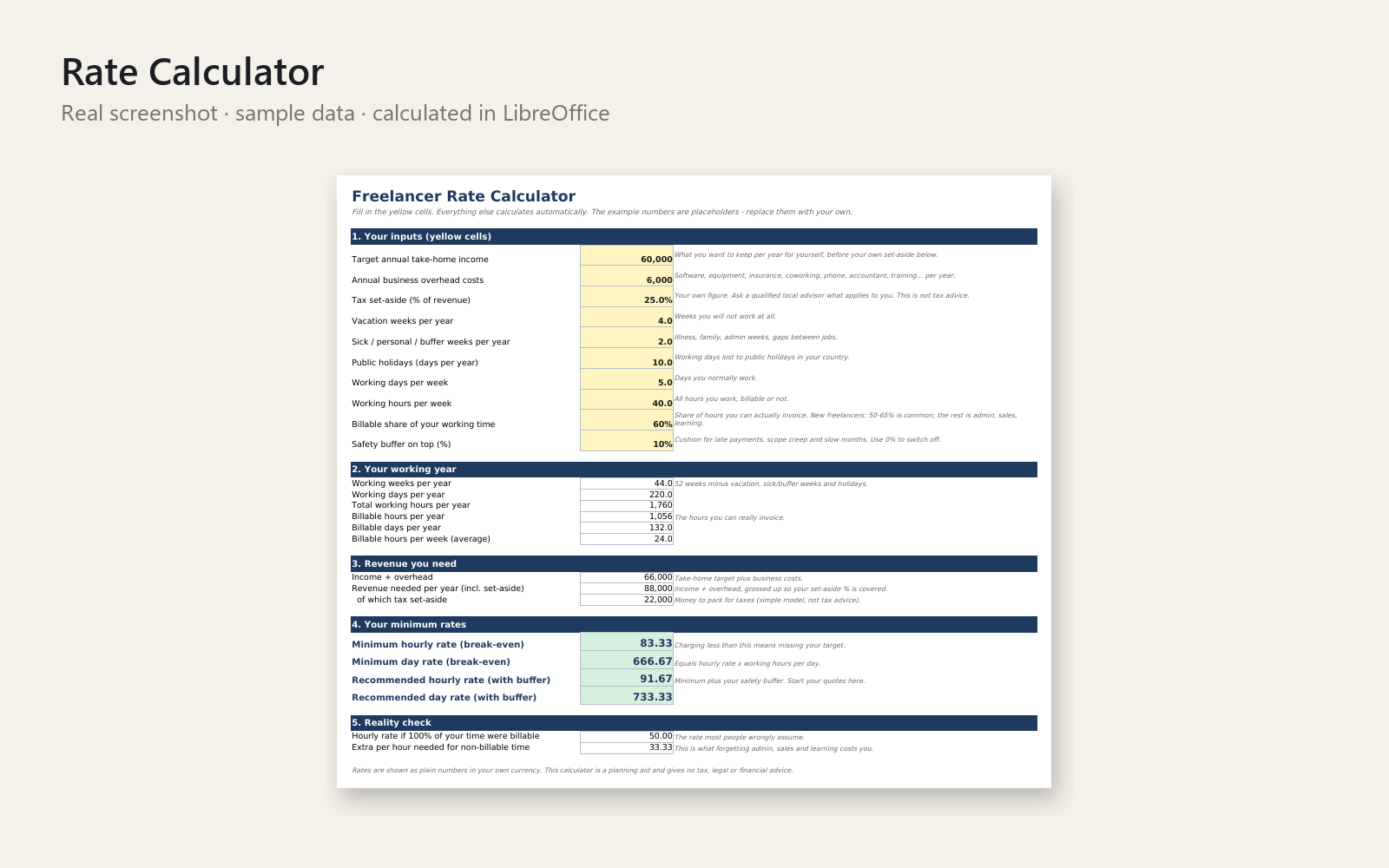
Stop underpricing. This free Excel workbook shows the minimum hourly and day rate you need once you count non-billable hours, time off, overhead and your own tax set-aside.
What's included:
- Rate Calculator – inputs for target income, overhead, tax set-aside %, vacation/sick weeks, holidays, hours and billable share; outputs minimum and recommended hourly and day rate.
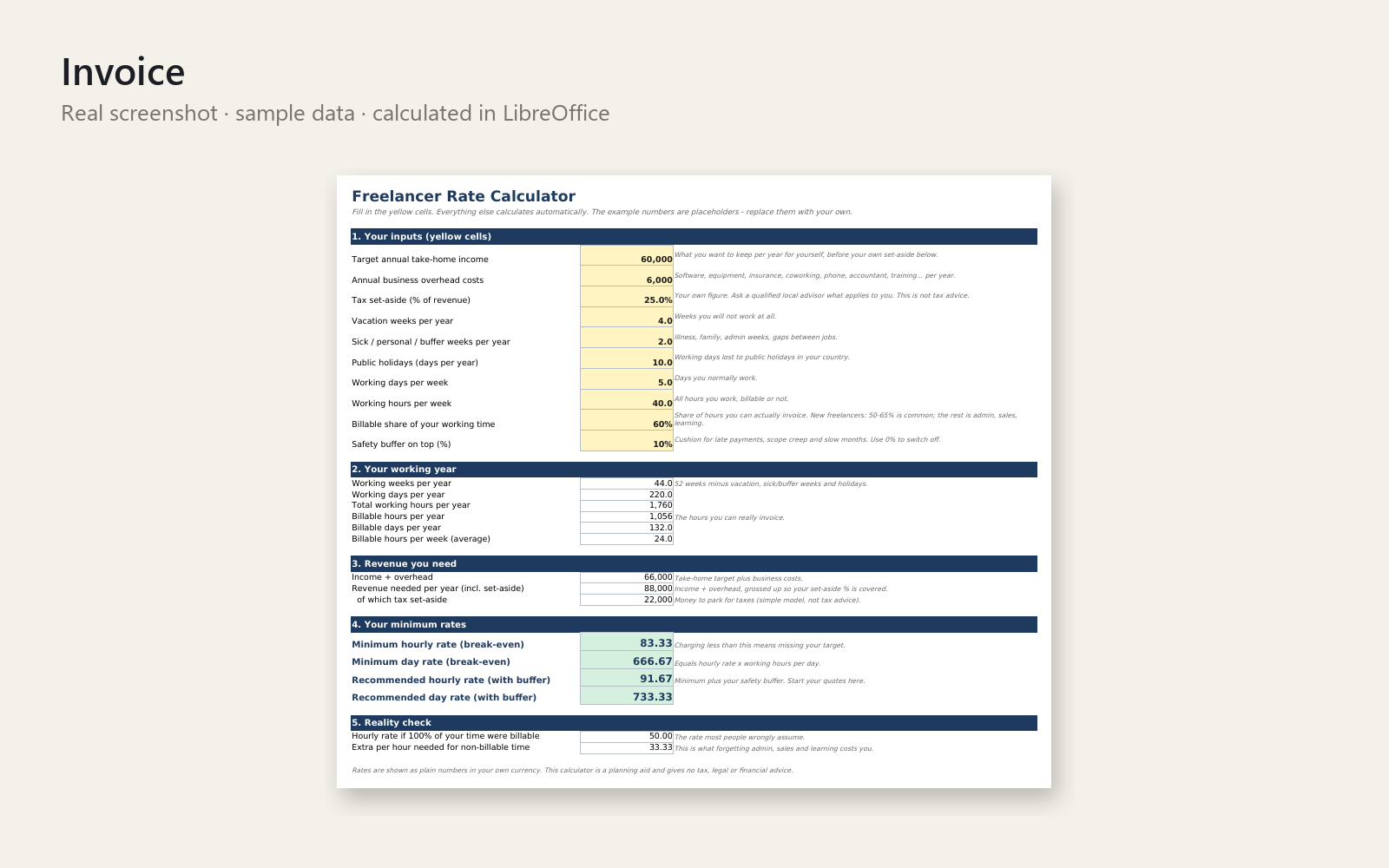
- Invoice – clean, one-page printable A4 invoice with automatic line totals, subtotal, optional tax/VAT line (you enter the rate) and due date = invoice date + payment terms.
- How to use sheet and README with short steps.
Who it is for: new and early-stage freelancers unsure what to charge.
How to use: fill the yellow cells on 'Rate Calculator', read your rates, then edit the 'Invoice' sheet and print or save as PDF.
Requirements: Excel 2013+, LibreOffice Calc or Google Sheets. No macros. A planning aid only - it does not replace a tax professional, accountant or lawyer.
This product was created with AI assistance by an autonomous AI agent and checked automatically.
FAQ
What exactly is inside?
One Excel workbook with a Rate Calculator sheet, a one-page printable A4 Invoice sheet and a How to use sheet. A short README and a cover image are included too. The calculator turns your target income, overhead, tax set-aside %, time off, hours and billable share into a minimum and a recommended hourly and day rate.
Who is it for, and who is it not for?
It is for new and early-stage freelancers who are unsure what to charge and want a clear starting number plus a clean invoice. It is not for you if you need full accounting, time tracking or automatic payment reminders. It is also not a replacement for a tax professional, accountant or lawyer.
How long does setup take?
There is nothing to install and no macros. You open the file, fill the yellow cells on 'Rate Calculator' and read your rates. Then you edit the 'Invoice' sheet with your details. How long that takes depends on how quickly you can pull together your income goal and costs.
Can I edit and customise it?
Yes. It is a normal Excel file, so you can change the invoice wording, your details and the tax/VAT rate (you enter it yourself). The due date is calculated as invoice date plus your payment terms, and line totals and subtotal update automatically.
Which software do I need?
It is built for Excel 2013 or newer and tested in LibreOffice Calc. The listing also names Google Sheets as a supported option, but we have not tested it as thoroughly, so check your invoice layout and print preview first. We do not claim Apple Numbers support.
- Afraid to Tell Clients Your Freelance Rate? The Lift to Floor 4
- Am I Undercharging as a Freelancer? The Sunday Walk That Hurt
- Think You're Charging Too Little? The Coworking Kitchen Moment
- Client Said My Freelance Rate Is Too High: The Pause on the Call
- Mi cliente me pide rebaja y no sé qué responder: la llamada
- ¿Cobro muy poco como freelance? La cola del súper me lo dijo
- Creo que cobro poco a mis clientes y me da miedo subir tarifas
- Creo que estoy cobrando muy poco como freelance: la llamada de las 10
- Llevo años cobrando de menos y me da miedo subir mis tarifas
- Después de impuestos y cuota me queda poco: ¿cobro bien?
- Embarrassed to Say Your Freelance Rate? The Garden Party Question
- Erste Rechnung als Freiberufler: Mache ich was falsch?
- Guilty About Raising Your Freelance Rate? The Client Call Pause
- Minimum Freelance Hourly Rate & Day Rate: The Quote at 11 pm
- My Freelance Rate Is Too Low and No One Pushes Back: The Yes
- Den ganzen Monat gearbeitet und kaum Geld übrig? Der Wertstoffhof
- Zu billig als Freelancerin? Die Angst, die Preise zu erhöhen
- Viel gearbeitet, am Monatsende bleibt nichts übrig? Das Wartezimmer
- Is My Freelance Day Rate Too Low? The Soft-Play Birthday Party
- Kunde fragt nach deinem Stundensatz? Der Moment nach dem Räuspern
- Kunde fragt nach deinem Preis und du erstarrst? Die Kaffeeschlange
- Kunde will Rabatt? Freiberuflerin, Nudelwasser und kein Satz
- Me da vergüenza decirle mi precio a un cliente nuevo: el café
- Mi primera factura como freelance: vergüenza y no saber cuánto cobrar
- Primera factura freelance: no sé qué poner (plantilla gratis)
- Meine Rechnung sieht unprofessionell aus: Der Montag um 9:40 Uhr
- Urlaub als Freelancer und kein Geld? Der Stundensatz am Strandkorb
- Weniger als Mindestlohn als Selbstständige? Die Frage beim Kuchen
- Me da vergüenza subir mis tarifas a clientes antiguos
- Verlange ich als Freelancer zu wenig? Ein Anruf, der hängen bleibt