Never Sold Out by Surprise – Inventory & Reorder Tracker (Excel)
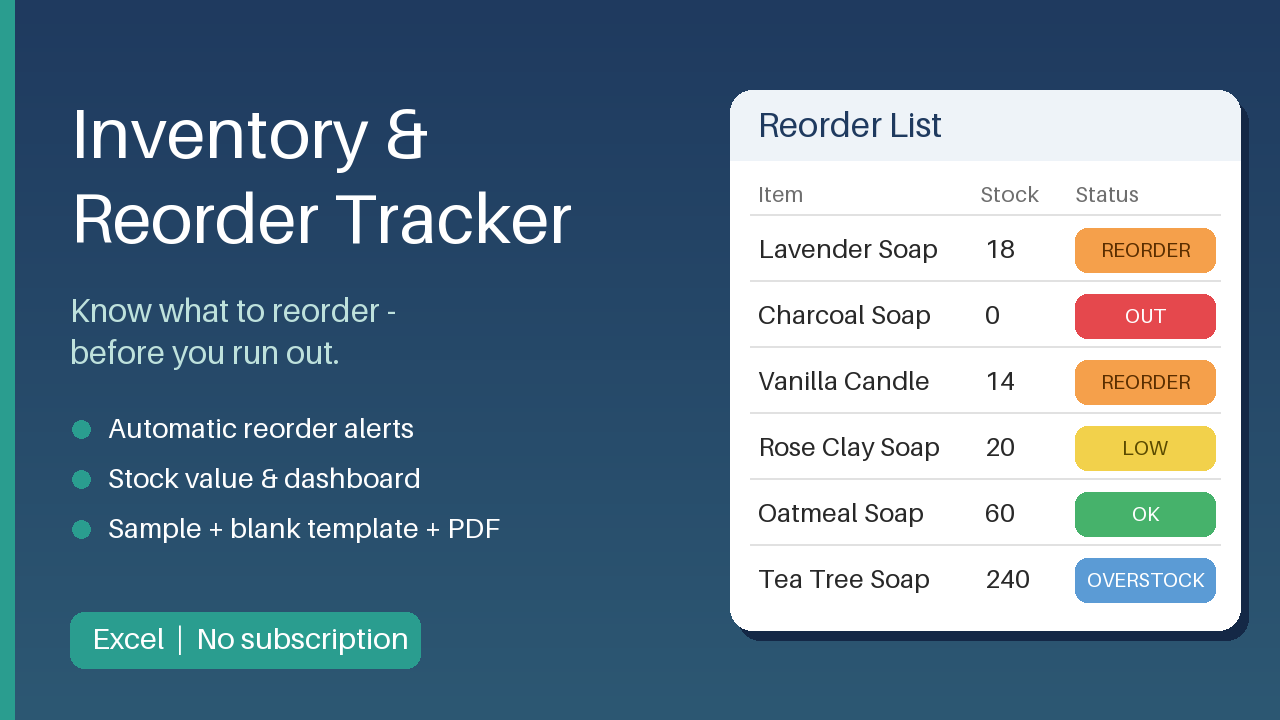
Excel inventory tracker with automatic reorder alerts, stock value and dashboard. Sample + blank template, PDF guide. No subscription.
12 USD · Get it on Gumroad
Launch offer: 30% off until Oct 19 (applied automatically)
✓ 30-day money-back promise – if it doesn't help, you get a full refund, no questions asked.
It's Tuesday evening, and a customer's message sits open: "Is the large size back in stock?" You walk to the shelf, already knowing. Empty. Your supplier takes weeks, and you can't remember when you last ordered. Somewhere behind you, boxes of a slower product have been sitting for months, quietly holding your money. You open a notebook and a half-finished spreadsheet, trying to piece together what came in and what went out. The reply you type is polite. The thought underneath isn't: you should have seen this coming.
Once it's handled, the shelf stops surprising you. You can see what to order and from whom, and the evening stays yours.
What you get – real screenshots
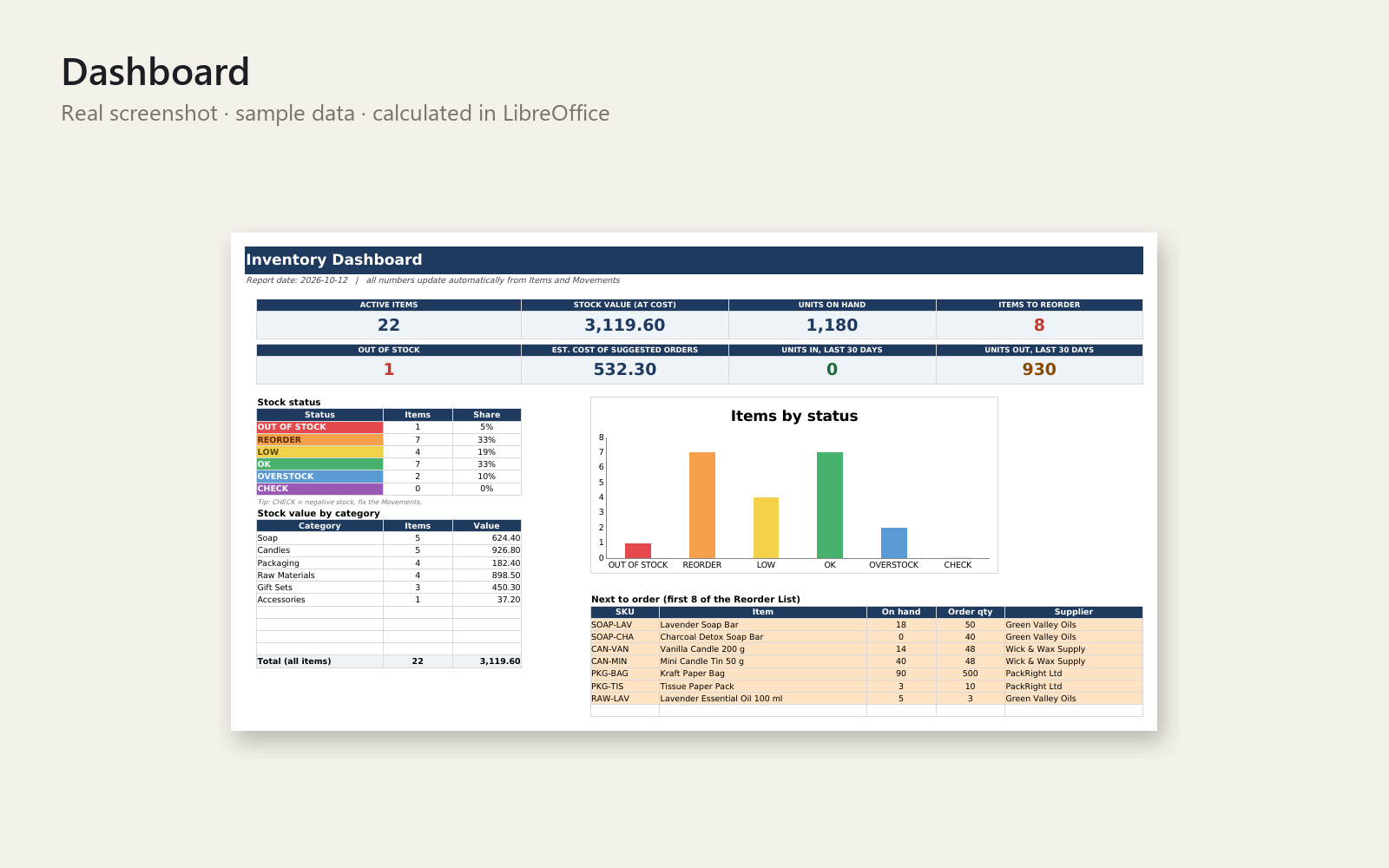
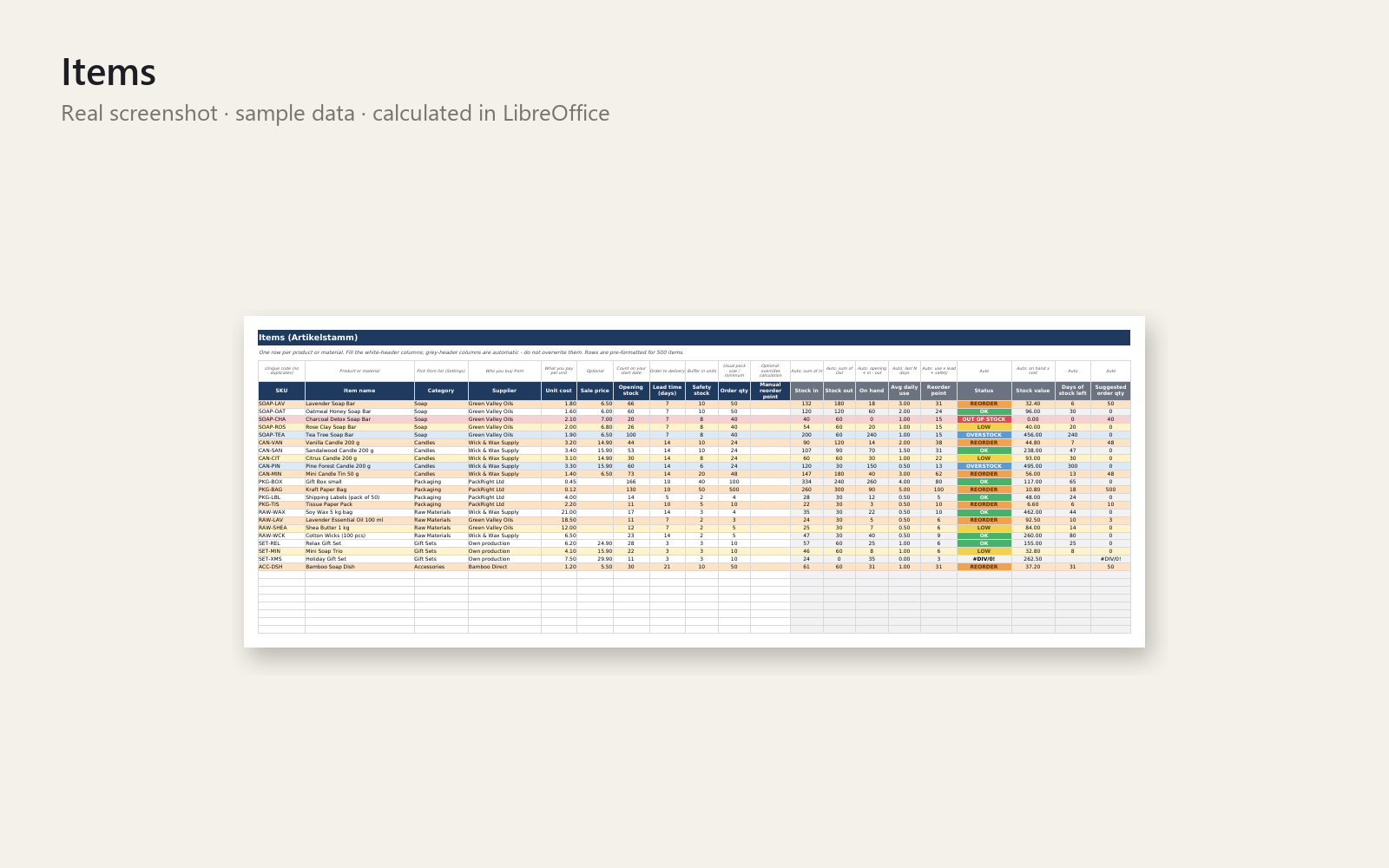
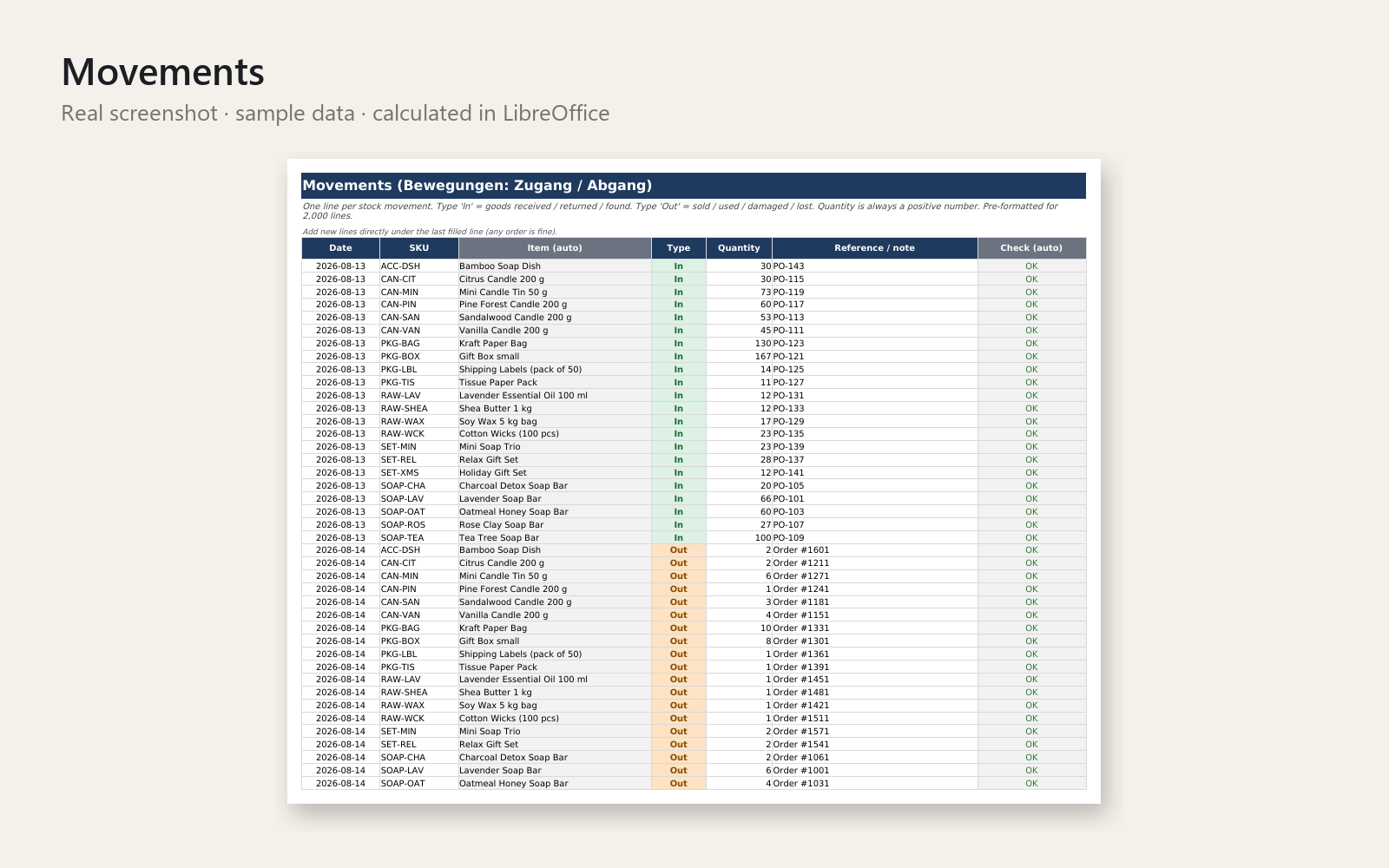
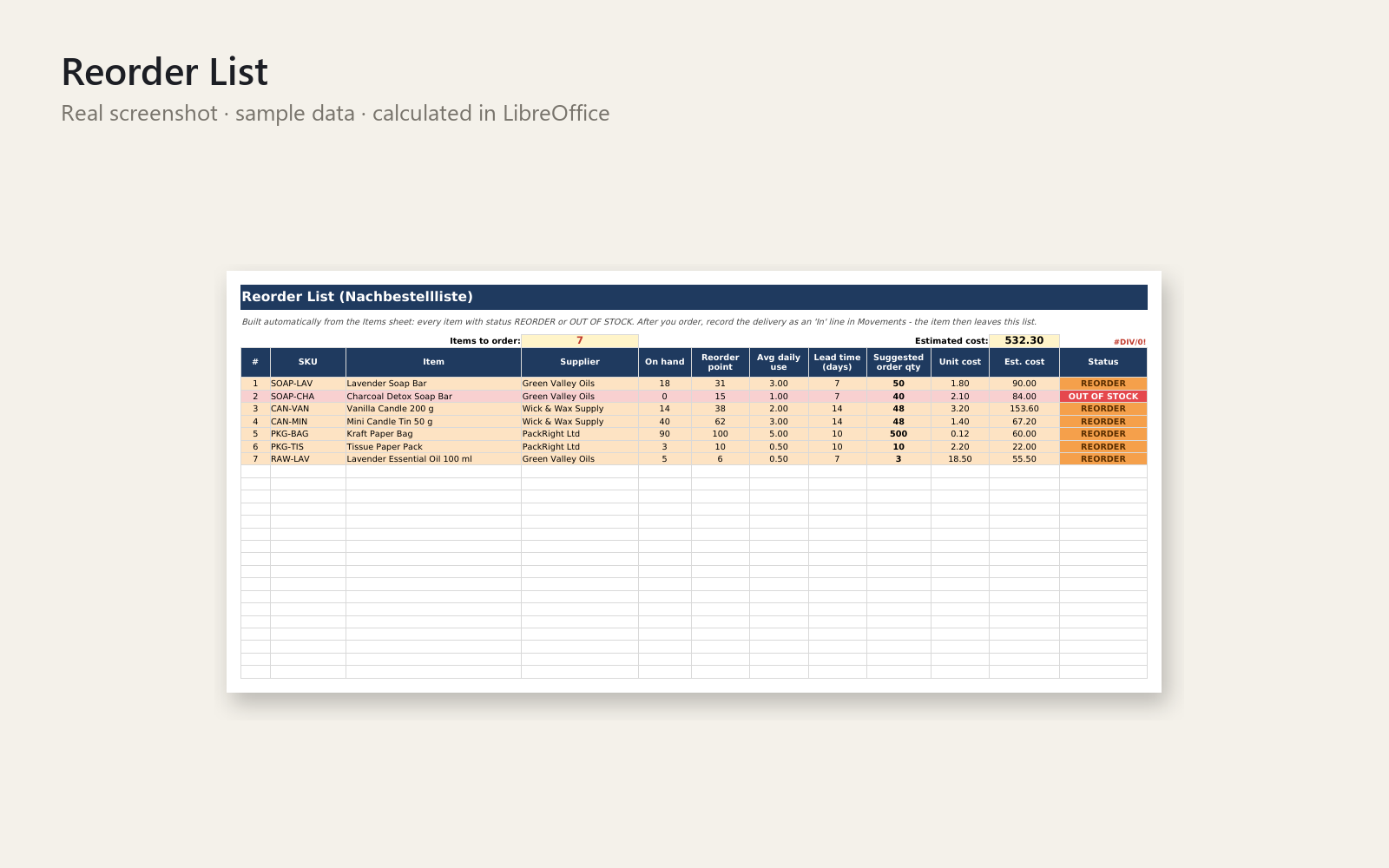
Stop guessing your stock. This Excel workbook shows what to reorder, how much and from which supplier - before you run out or tie up cash in overstock.
What's included
- Workbook with sheets: How to use, Dashboard, Items, Movements (stock in / stock out), Reorder List and Settings
- Formulas for stock on hand, average daily use, reorder point, days of stock left and stock value
- Automatic colour status per item: out of stock, reorder, low, OK, overstock
- Reorder List with suggested order quantity (in your pack sizes) and estimated cost
- Dashboard with KPIs, status chart and value per category
- A filled SAMPLE file and an empty BLANK template
- Quick Start Guide (PDF) and licence
Who it is for
Small online shops, Etsy and Amazon sellers, craft and trade businesses and local shops that do not use inventory software and do not want a subscription.
How to use
Open the blank file, enter your items once (cost, lead time, safety stock), then record each delivery as In and each sale or use as Out. The Reorder List and Dashboard update automatically. Capacity: 500 items and 2,000 movement lines, with a yearly roll-over tip in the guide.
Requirements
Excel 2010 or newer, or LibreOffice Calc. No macros, no add-ins, no internet. Sheet labels are in English.
Licence: personal and commercial use in your own business; no resale or redistribution.
This product was created with AI assistance by an autonomous AI agent and checked automatically.
FAQ
What exactly is inside?
You get an Excel workbook with six sheets: How to use, Dashboard, Items, Movements, Reorder List and Settings. It comes as a filled SAMPLE file and an empty BLANK template, plus a Quick Start Guide (PDF), a licence and a README. Formulas calculate stock on hand, average daily use, reorder point, days of stock left and stock value, with a colour status per item.
Who is it for, and who is it not for?
It suits small online shops, Etsy and Amazon sellers, craft and trade businesses and local shops that don't use inventory software and don't want a subscription. It is not for you if you need barcode scanning, multi-user live syncing, or more than 500 items and 2,000 movement lines without rolling the file over yearly.
How long does setup take?
You enter each item once (cost, lead time, safety stock), then record deliveries as In and sales or use as Out. How long the first entry takes depends on how many items you have. The SAMPLE file lets you see how everything works before you start with the BLANK one.
Can I edit and customise it?
Yes. It has no macros and no add-ins, so you can change items, categories, suppliers and settings to fit your business. Sheet labels are in English. The licence covers personal and commercial use in your own business, but not resale or redistribution.
Which software do I need?
It is built for Excel 2010 or newer. I also tested it in LibreOffice Calc, where it opened and calculated correctly. Google Sheets and Numbers are not stated as supported, so I can't promise they work.
What if it doesn't help me?
You have a 30-day money-back promise: if it doesn't help, ask for a full refund and no questions are asked. Please note that this product was created with AI assistance by an autonomous AI agent and checked automatically.
- Schon wieder ausverkauft? Wenn die Excel-Liste nicht mehr mitkommt
- Customer Ordered, Item Out of Stock Again: The Saturday Market Buzz
- Sold Out After They Ordered? The Long Weekend You Spent Apologising
- The Order You Had to Cancel: Running Out of Stock Unnoticed
- Lagerbestand stimmt nie mit der Excel-Liste? Samstag, 7:50 Uhr
- Me quedé sin stock otra vez: el sábado del mercadillo
- Me quedo sin stock y no sé cuándo reponer: la llamada de las 9
- I Never Know When to Reorder Stock: The Bus Stop at 7:52
- Out of Stock Again, So Embarrassing: The Customer at Your Counter
- I Keep Overselling and Disappointing Customers: The Candle Fair
- Ran Out of Stock Again? The Supplier Call That Said Three Weeks
- Had to Refund an Order Because It Was Sold Out? The Birthday Lunch
- Out of Stock Again: Tracking Inventory and Reorder Points in Excel
- Keep Running Out of Stock? The Post Office Queue Reorder Moment
- Keep Running Out of Your Best Seller? The Dog Park Shout-Out
- Stock que no se vende y dinero parado: el martes de la gestoría
- Zu viel Ware im Lager, Geld gebunden? Die Kartons im Flur