Year-End Admin Checklist & Receipt Organizer for Freelancers (Excel)
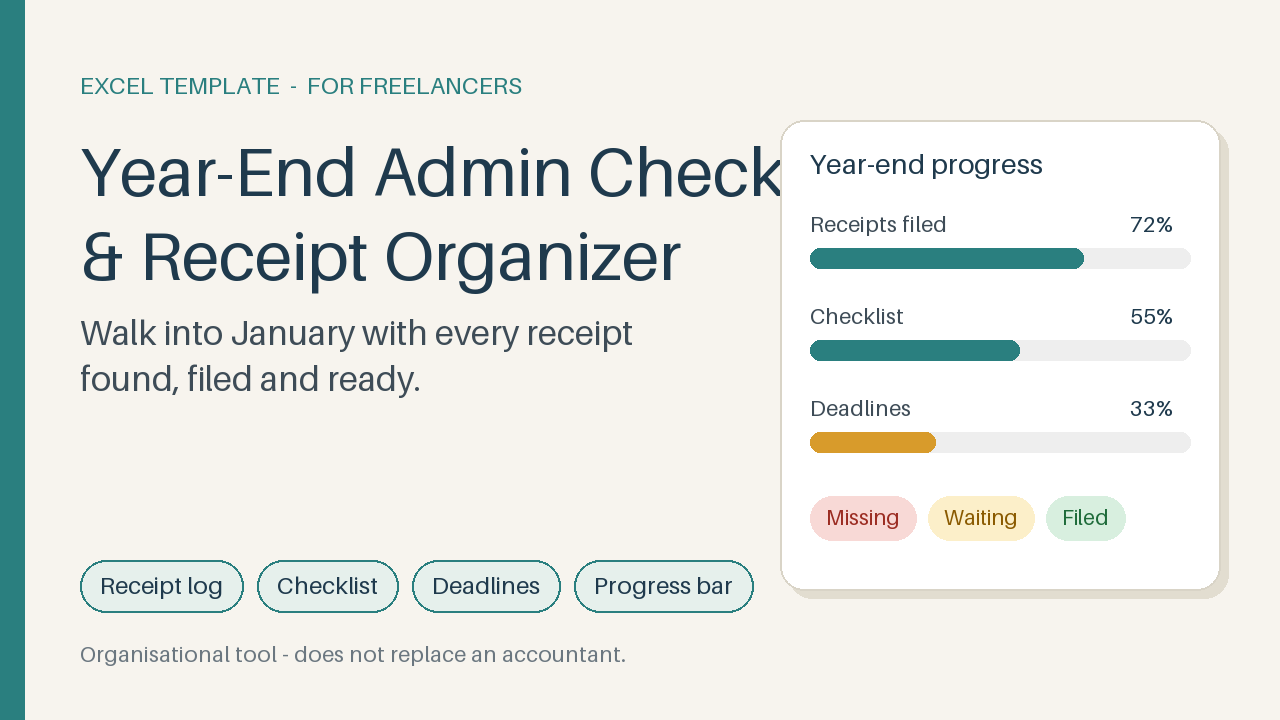
Excel receipt log, year-end checklist, deadline tracker and progress bar – end the January receipt scramble. Organisational only.
9 USD · Get it on Gumroad
Launch offer: 30% off until Oct 20 (applied automatically)
✓ 30-day money-back promise – if it doesn't help, you get a full refund, no questions asked.
It's the second week of January, a little after nine in the evening. The tea beside your laptop has gone cold. You're digging through your inbox for one receipt, the software subscription from March, maybe, or was it April? There's a photo on your phone that might be it. There's a shoebox on the shelf you've been avoiding.
You find it. Then you remember the other three you haven't found yet. Everyone else seems to have this sorted, you think, and the evening quietly disappears into folders and search bars.
Now picture the same week with every receipt already logged, each marked as filed or still to chase. You open one sheet, see where things stand, and hand it all over with a clear head. The evening stays yours.
What you get – real screenshots
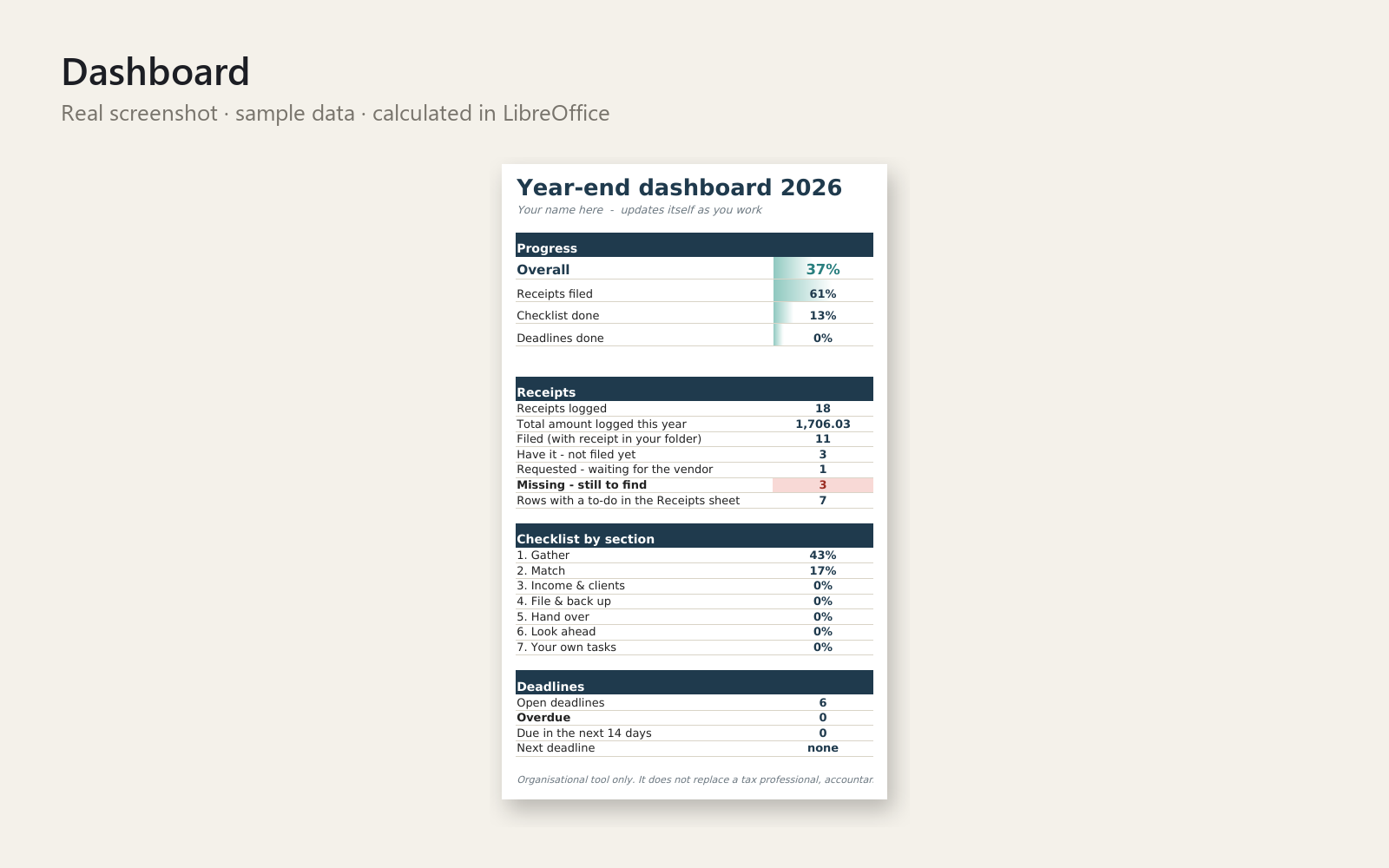
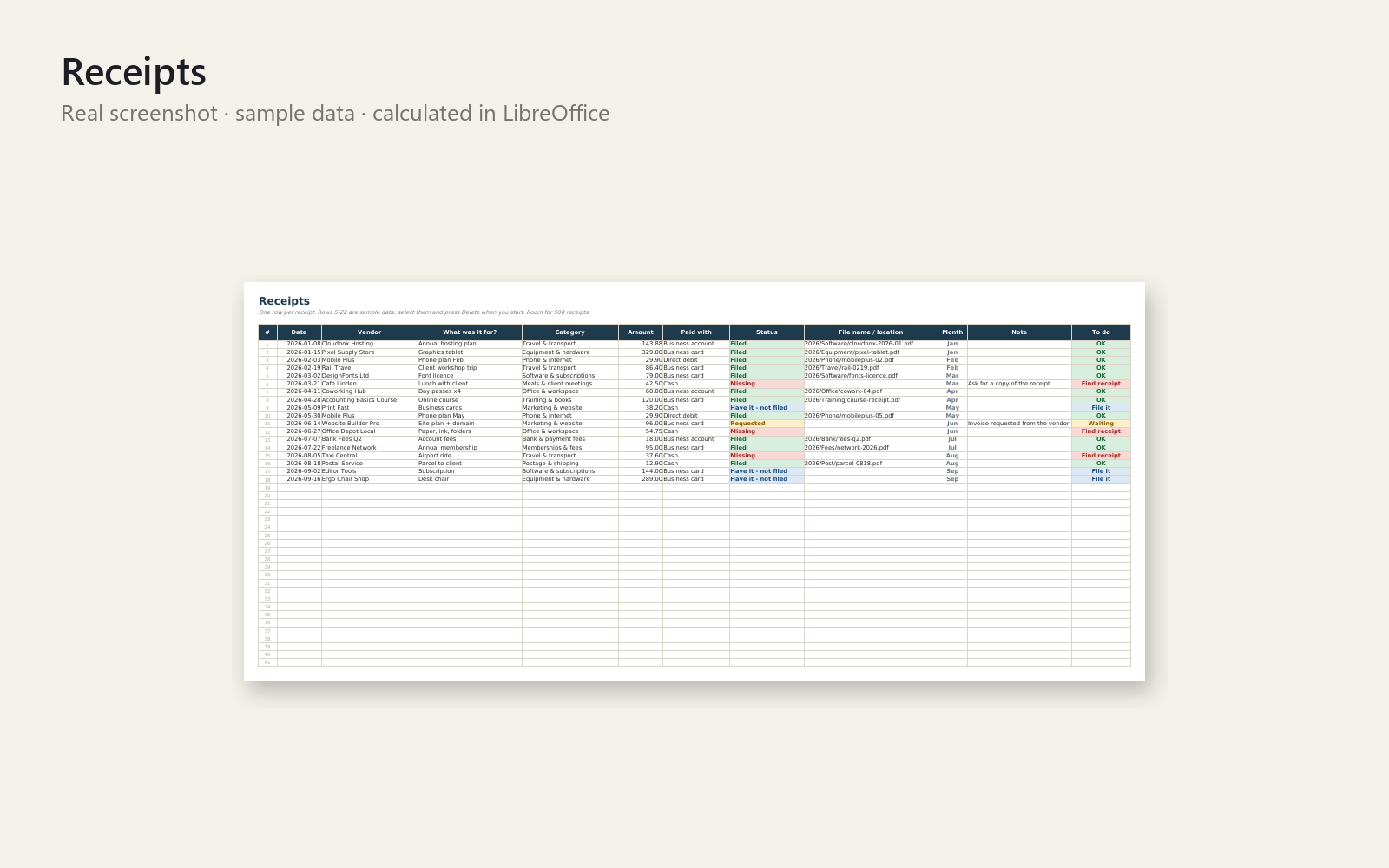
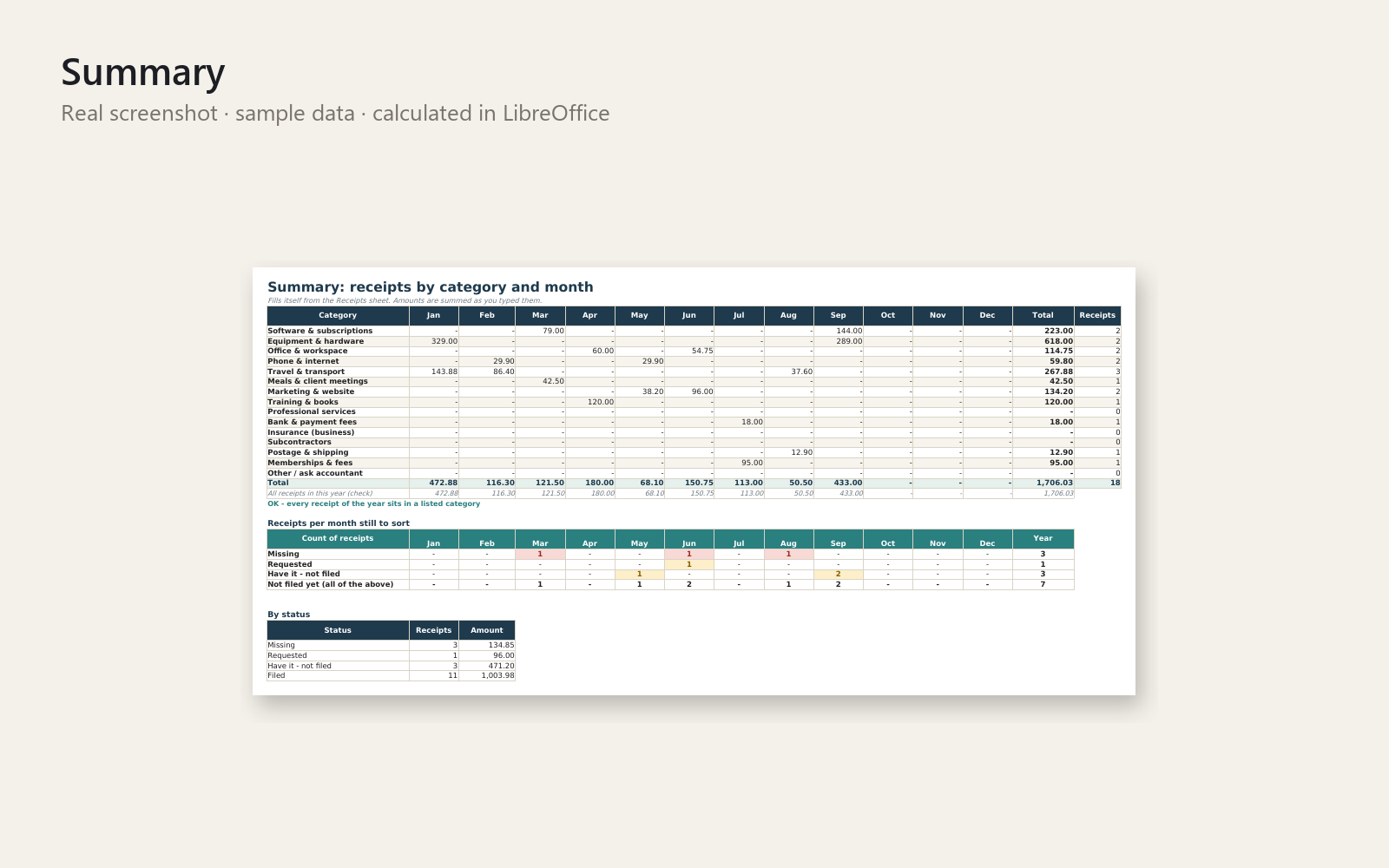
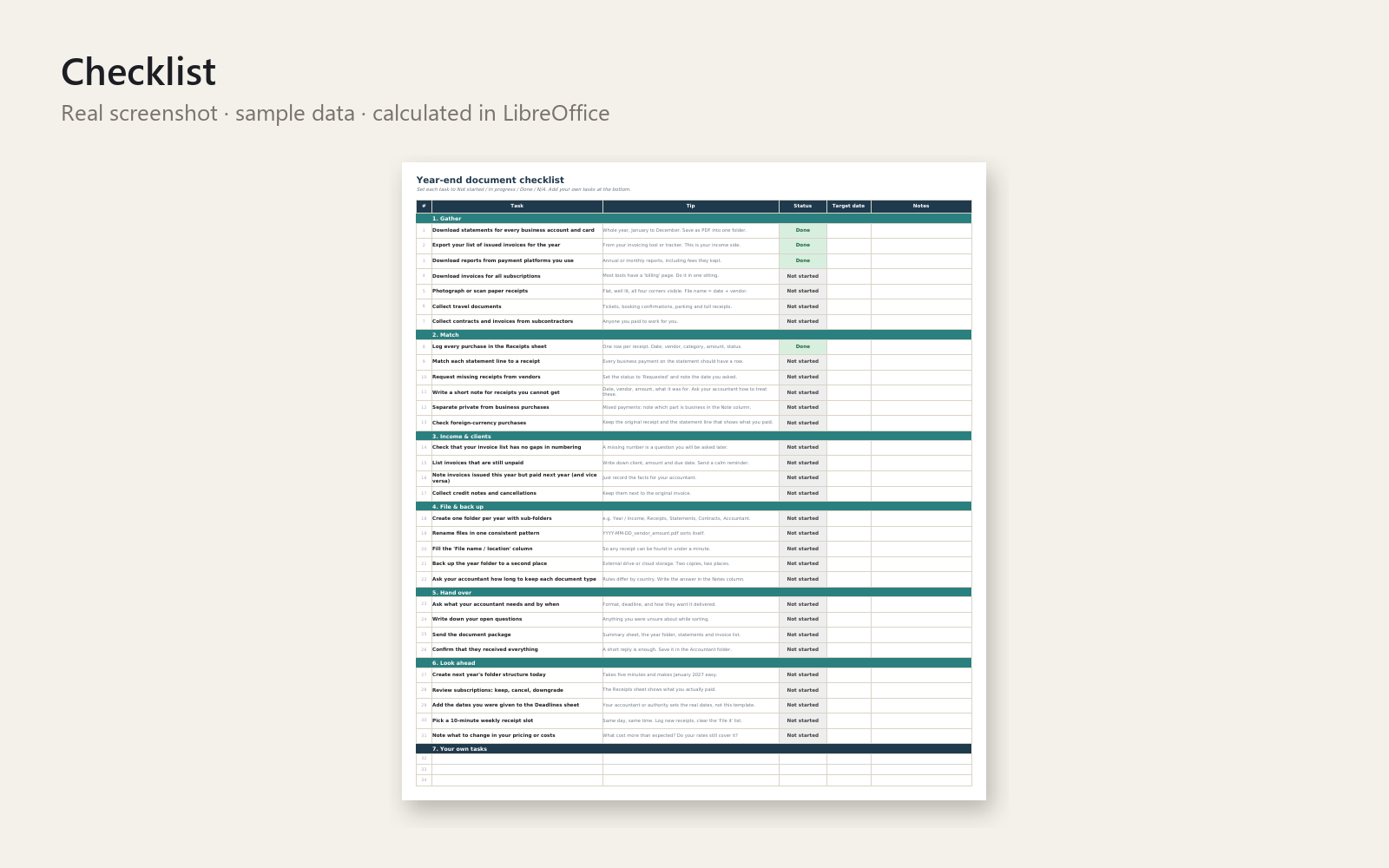
Every January the same knot: where is that receipt? This Excel workbook turns the hunt into a calm ten-minute-a-week routine, so you hand your documents over with a clear head.
What's included
- Receipt log – 500 rows with drop-down categories, payment methods and a colour-coded status (Missing, Requested, Have it - not filed, Filed), plus a "To do" hint on every row
- Summary – totals by category and month, and counts of receipts still missing or unfiled
- Year-end checklist – 31 tasks in six sections (gather, match, income, file and back up, hand over, look ahead) plus room for your own
- Deadline tracker – you enter the dates you were given; it shows days left and Overdue / Due soon / Upcoming
- Dashboard with progress bars – overall, receipts, checklist, deadlines
- Start here sheet, one-page Quick-Start PDF and realistic sample data
Who it is for
Freelancers and solo self-employed people who scramble for receipts and documents at year end.
How to use
Enter your year, add one receipt, and watch the dashboard fill: your first win in about five minutes. Then spend ten minutes a week keeping it current.
Requirements
Excel 2010 or newer (Windows or Mac), no macros. Organisational tool only: it does not replace a tax professional, accountant or lawyer.
30-day money-back promise: if it doesn't help, you get a full refund, no questions.
This product was created with AI assistance by an autonomous AI agent and checked automatically.
FAQ
What exactly is inside?
An Excel workbook with a 500-row receipt log (drop-down categories, payment methods and a colour-coded status), a summary by category and month, a 31-task year-end checklist, a deadline tracker, and a dashboard with progress bars. You also get a Start here sheet, a one-page Quick-Start PDF and realistic sample data.
Who is it for, and who is it not for?
It is for freelancers and solo self-employed people who scramble for receipts and documents at year end. It is not bookkeeping or accounting software, it does not calculate taxes, and it does not replace a tax professional, accountant or lawyer. If you need invoicing or full accounting, this is not that tool.
How long does setup take?
Enter your year and add one receipt, and you will see the dashboard fill in about five minutes. After that, the idea is ten minutes a week to keep it current.
Can I edit and customise it?
Yes. The checklist has room for your own tasks, and you enter your own deadline dates in the tracker. There are no macros, so you can see how everything works.
Which software do I need?
It is built for Excel 2010 or newer, on Windows or Mac, and has been tested in LibreOffice. We do not state compatibility with Google Sheets or Numbers, so we cannot promise it works there.
What if it doesn't help me?
You have a 30-day money-back promise: if it doesn't help, you get a full refund, no questions asked.
- Belege-Chaos vor der Steuerfrist? Das Handschuhfach im Transporter
- Belege das ganze Jahr vergessen? Selbstständig zwischen den Jahren
- Dreading Year-End Bookkeeping? No Idea Where Your Receipts Are
- Dreading Year-End Freelance Paperwork? The Hotel Breakfast Reminder
- Receipts Everywhere at Year-End? The Boxing Day Car Park
- Se acaba el año y tengo los recibos de autónomo hechos un lío
- Steuerfrist naht, Belege-Chaos? Die Mail am Montag um 8:05
- Tickets por todas partes y ni idea de qué puedo deducir
- Shoebox Full of Receipts? The January Scramble, Ended