Raise Your Lesson Rate Gently – Price-Rise Letter Prompt Pack
28 prompts + Excel planner to raise your lesson rate, handle replies, chase late payers and set cancellation rules – in your own calm voice.
9 USD · Get it on Gumroad
Launch offer: 30% off until Oct 21 (applied automatically)
✓ 30-day money-back promise – if it doesn't help, you get a full refund, no questions asked.
It is Sunday evening, and the piano is closed for the night. You open your lesson list to plan the week and see the same rate you set years ago. Back then it felt fair. Now it sits beside your rent, your sheet music, your tired Thursdays.
You start a message to your students. Hi everyone, I wanted to let you know… Then you stop. What if they say it is too much? You delete the line and tell yourself you will do it next month. The quiet cost is that you have told yourself this before.
Once it is handled, the letter is sent in your own voice, and the numbers behind it are clear to you. Sunday evening is just Sunday evening again.
What you get – real screenshots
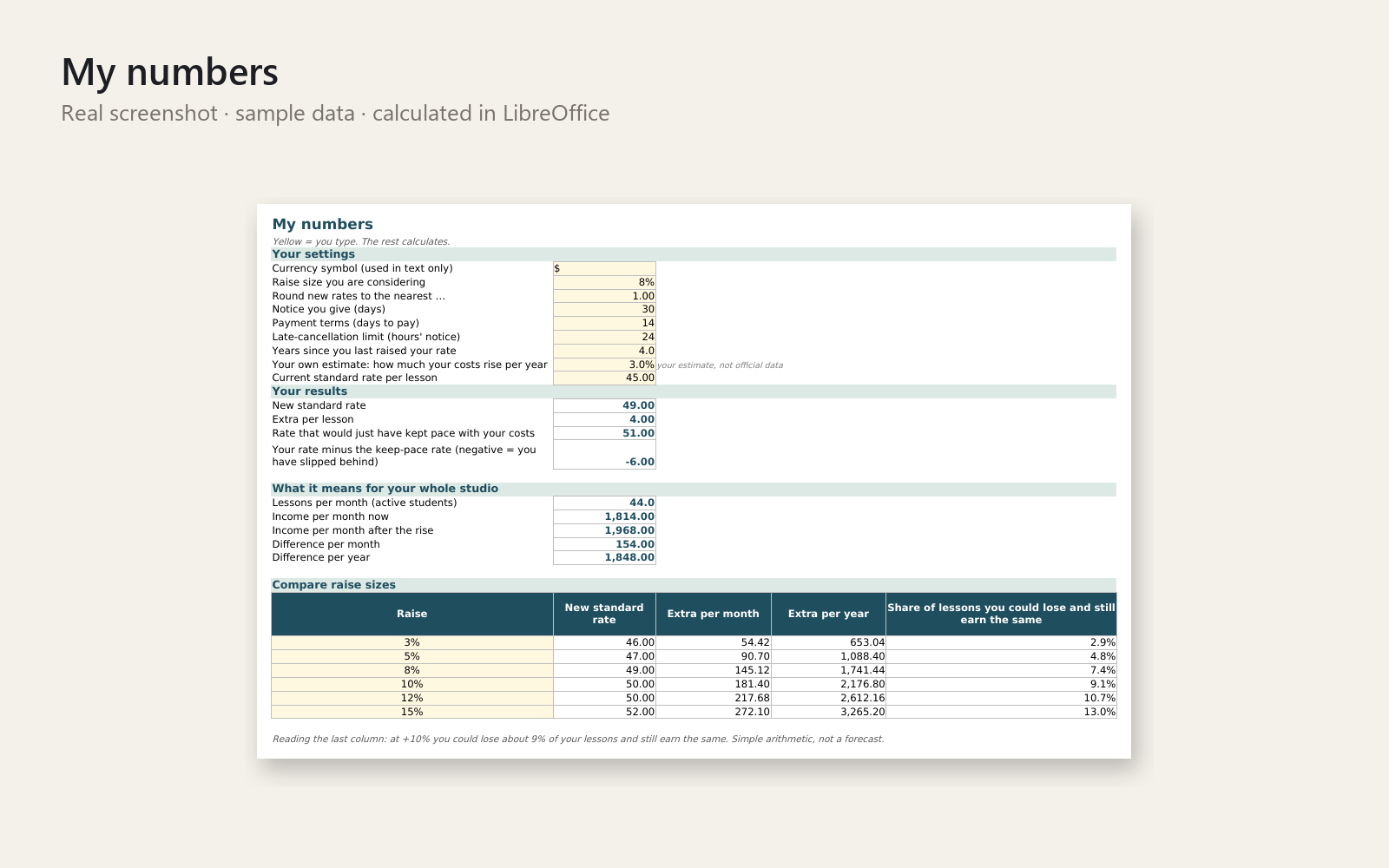
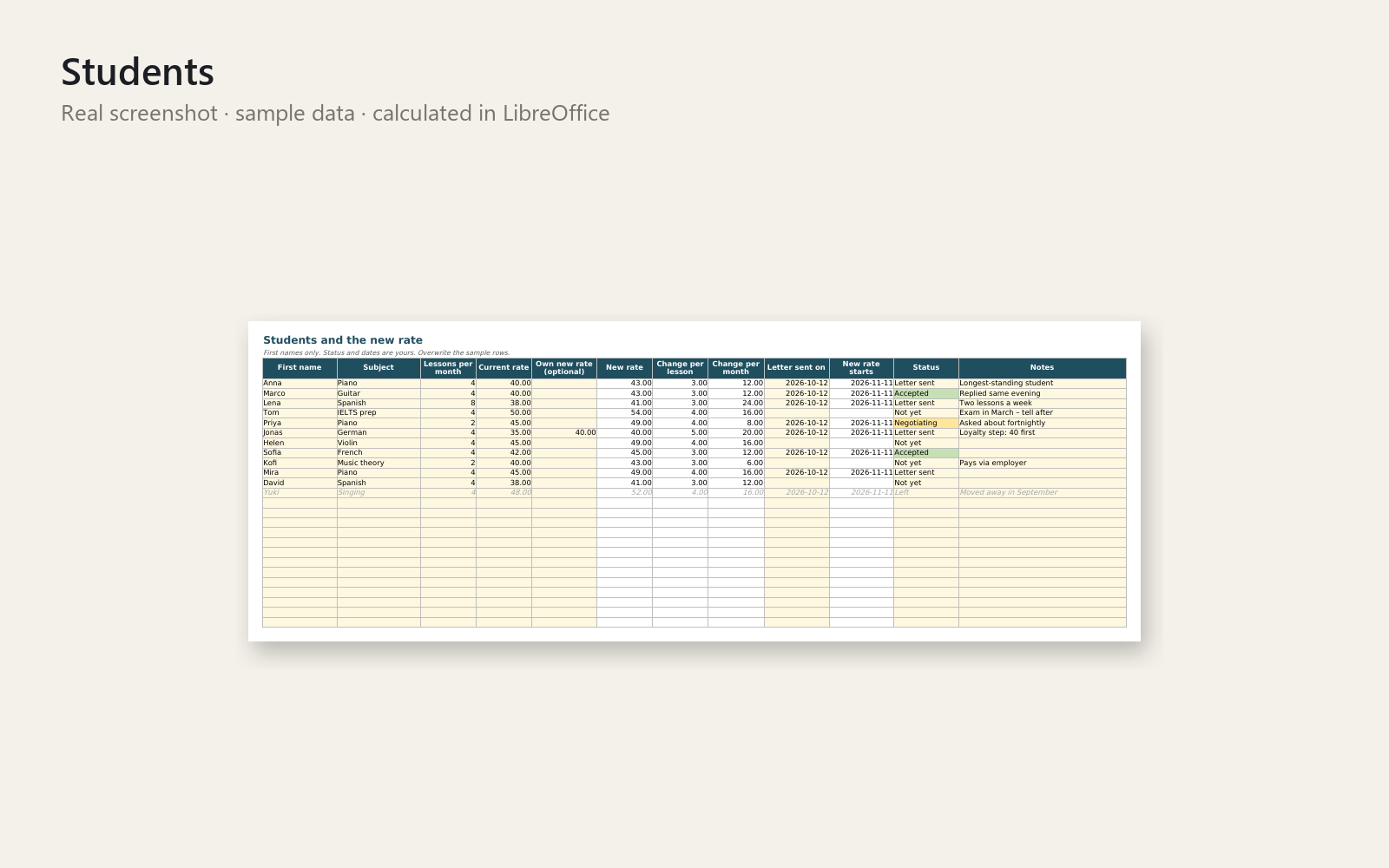
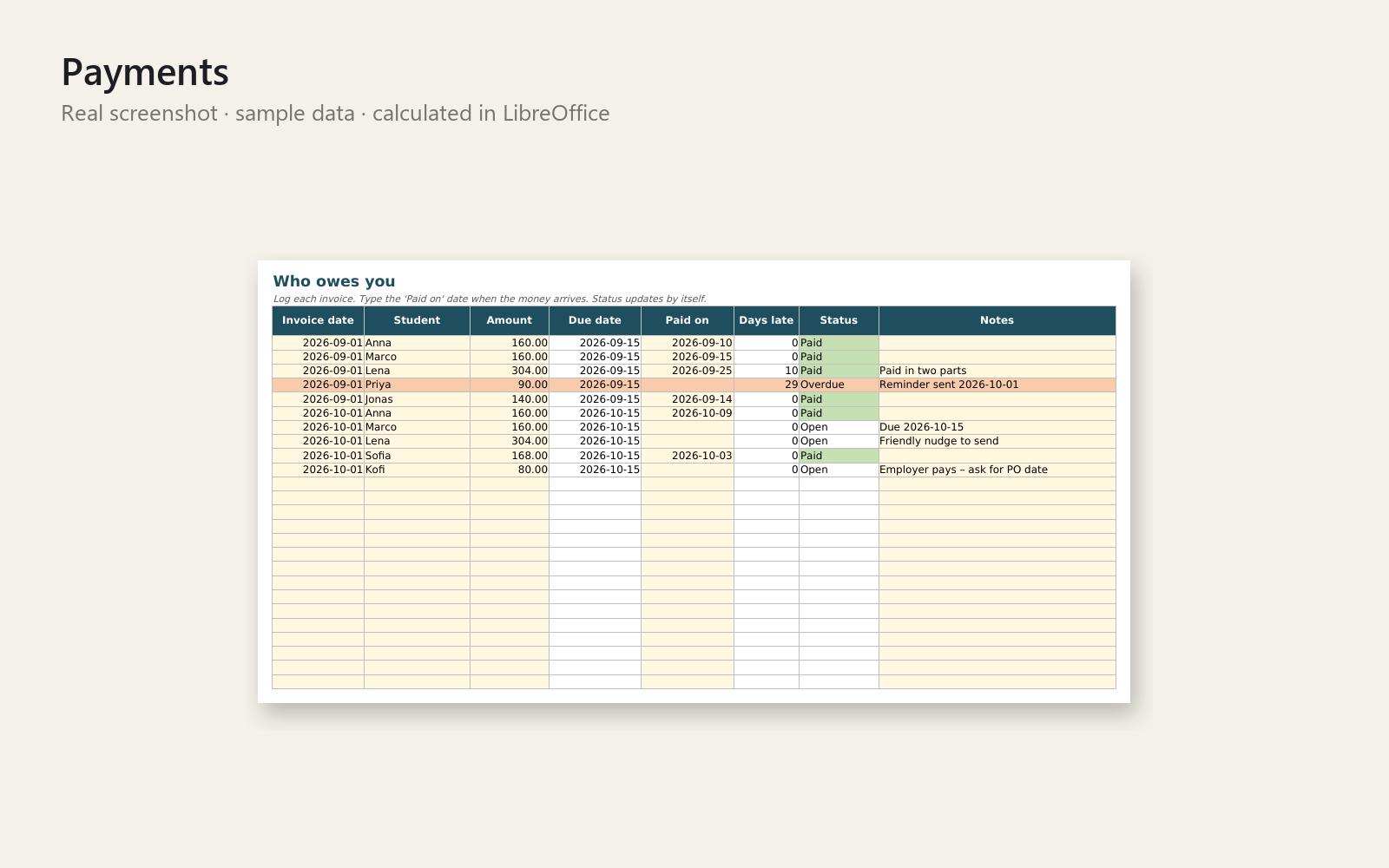
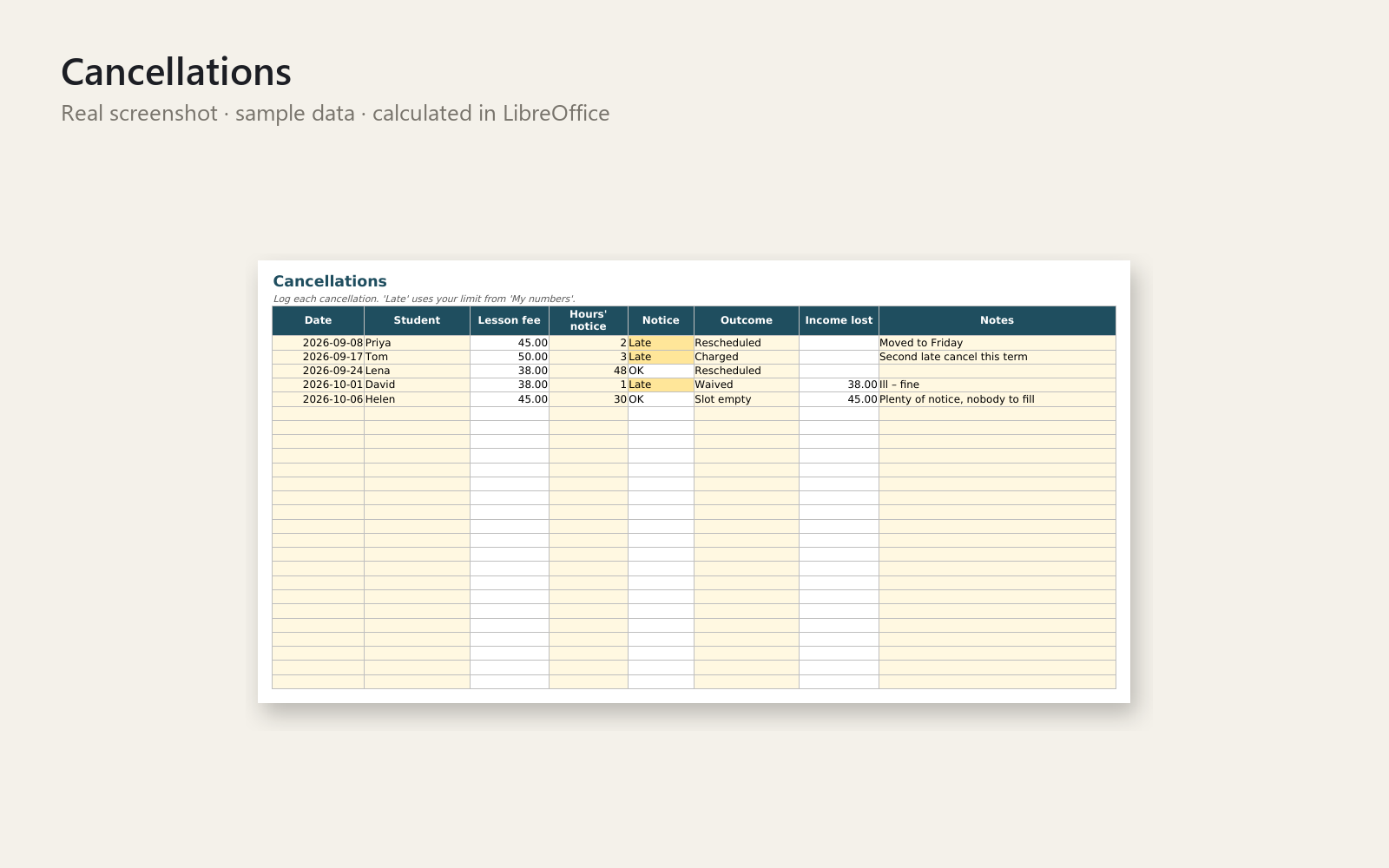
You haven't raised your rate in years. You just don't know how to say it. This pack gives you the words and the numbers, so you can tell your students about a new rate calmly, get paid on time and stop late cancellations from emptying your week.
What's included
- 28 copy-and-paste prompts (PDF, Word and plain text): sanity-check your rate, classic letter, short email, chat message, loyalty step-up, replies to "that's a lot" and "can I have a discount?", payment reminders, cancellation policy wording, make-up rules, a practice partner and a voice pass.
- Excel planner with realistic sample data: compare raise sizes, see the effect on your monthly income, track each student's new rate and status, log who owes you, log cancellations, and build the details block you paste into the prompts.
- One-page quick-start PDF for your first draft letter in 5 minutes.
Who it is for
Adult-facing private teachers and tutors: music, languages, test prep. Records are lesson dates and payments only, with no data on children.
How to use it
- Enter your current rate and a raise size in the planner.
- Fill the details block and copy it.
- Paste it into a prompt (start with prompt 4) and send it to the AI assistant you already use.
- Run the voice pass (prompt 28), check the numbers, and send the letter yourself.
Requirements
Excel 2016 or newer, a PDF reader, and any AI chat assistant of your choice (not included). Not tested in Google Sheets or LibreOffice.
Simple arithmetic for organisation; it does not replace a tax professional, accountant or lawyer. Personal and commercial use in your own business; no resale or redistribution. 30-day money-back promise: if it doesn't help, full refund, no questions.
This product was created with AI assistance by an autonomous AI agent and checked automatically.
FAQ
What exactly is inside?
28 copy-and-paste prompts (PDF, Word and plain text), an Excel planner with sample data, and a one-page quick-start PDF. The prompts cover rate-rise letters, emails and chat messages, replies to "that's a lot" and "can I have a discount?", payment reminders, cancellation and make-up wording, a practice partner and a voice pass.
Who is it for, and who is it not for?
It is for private teachers and tutors who work with adults, such as music, languages and test prep, and who want to raise their rate calmly. It is not for you if you mainly teach children, since the planner is not designed for data on minors. It is also not for you if you want a ready-made letter without using an AI assistant, or if you need tax or legal advice.
How long does setup take?
The quick-start PDF is built to get you to a first draft letter in about 5 minutes. You enter your current rate and a raise size in the planner, copy the details block, paste it into prompt 4 and send it to your AI assistant.
Can I edit and customise it?
Yes. The planner is a normal Excel file, and the prompts come as Word and plain text, so you can change any wording. The voice pass (prompt 28) helps the letter sound like you. You check the numbers and send the letter yourself.
Which software do I need?
The planner is built for Excel 2016 or newer. You also need a PDF reader and an AI chat assistant of your choice, which is not included. It has not been tested in Google Sheets or Numbers, so we can't promise it works there.
What if it doesn't help me?
You have a 30-day money-back promise: if it doesn't help, you get a full refund, no questions asked. The pack is simple arithmetic and wording support for organisation, and it does not replace a tax professional, accountant or lawyer.