Photographer Client, Shoot & Invoice Tracker (Excel)
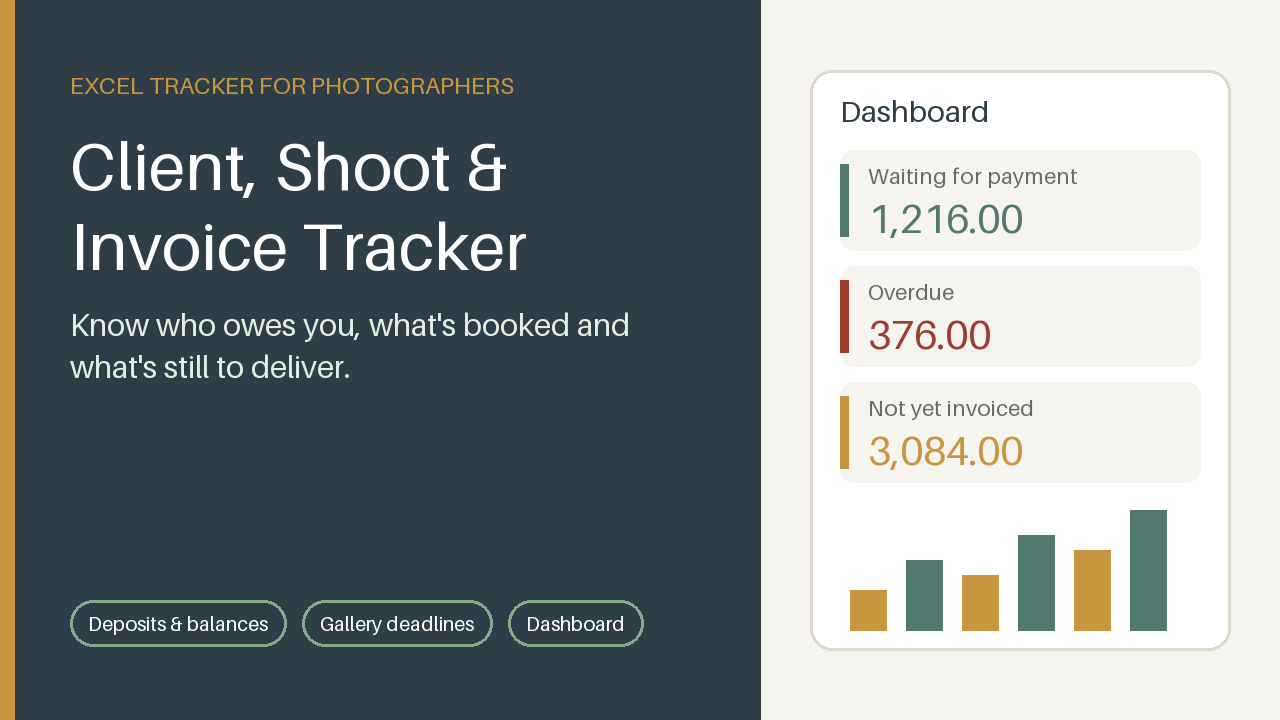
Excel tracker for photographers: clients, shoots, deposits, gallery deadlines and invoice status on one dashboard.
14 USD · Get it on Gumroad
Launch offer: 30% off until Oct 21 (applied automatically)
✓ 30-day money-back promise – if it doesn't help, you get a full refund, no questions asked.
It's Sunday evening, and the laptop is still warm from culling photos. A message from a bride lands: “Did we ever pay the rest?” Your stomach tightens. Was it in the email thread, the calendar note, the notebook by the camera bag? You scroll through all three and find nothing certain. Somewhere a gallery you promised sits half-edited, and you can't remember if it's due this week or next. You close the laptop feeling like someone who runs a business from memory.
Now it all lives in one calm place: deposits, balances, gallery deadlines. You answer in a minute, kindly and without guessing, and the evening stays yours.
What you get – real screenshots
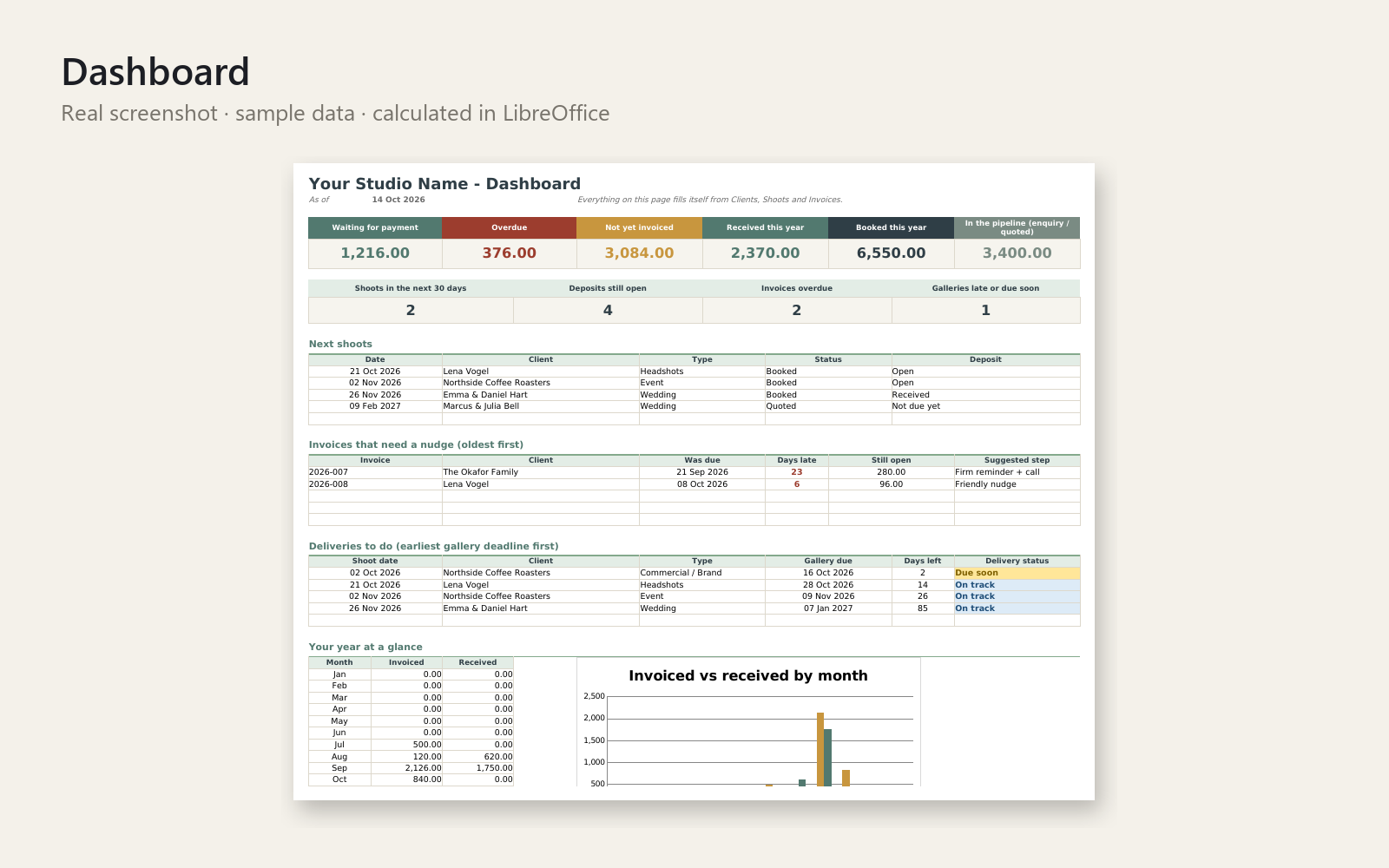
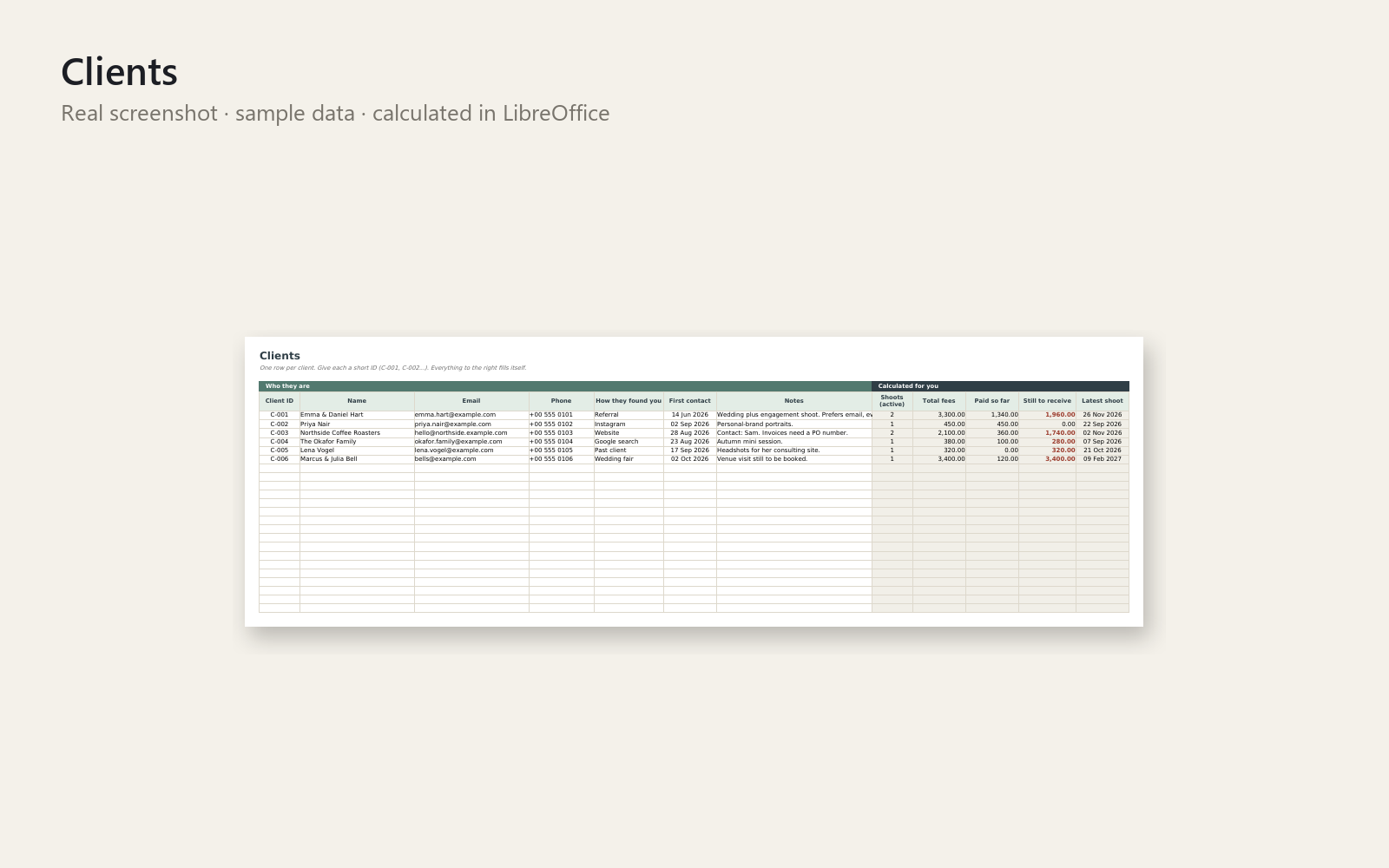
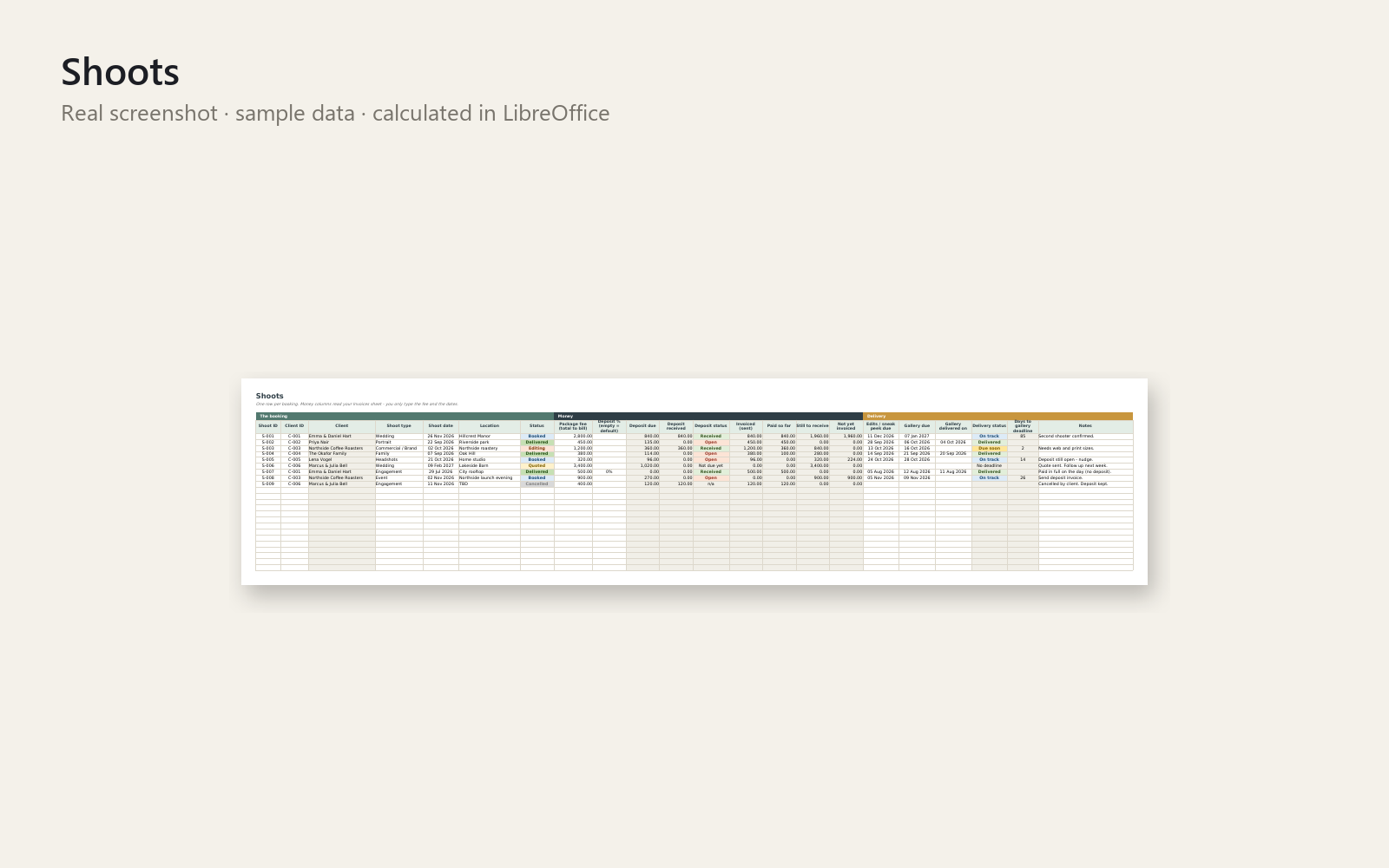
Know who owes you, which shoots are coming up and what is still to deliver - in ten minutes a week.
Shoots, deposits, deliveries and unpaid balances get lost between email, calendar and notes. This Excel workbook puts them in one calm place.
What's included
- Dashboard: money waiting, overdue, not yet invoiced, received and booked this year, next shoots, invoices that need a nudge, deliveries to do, monthly chart
- Clients sheet with automatic totals per client
- Shoots sheet: status, package fee, deposit due and received, edit and gallery deadlines (Late / Due soon / On track)
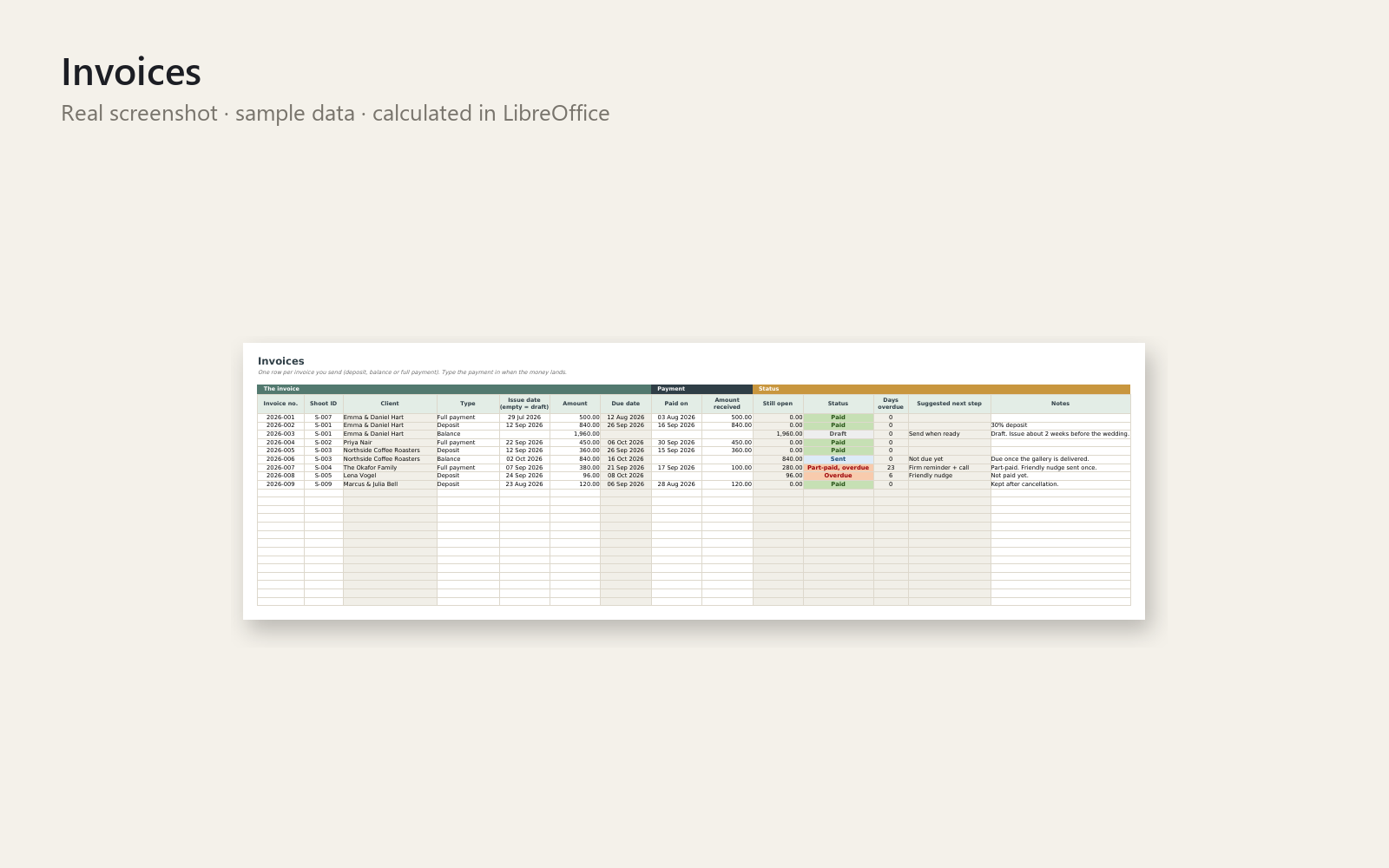
- Invoices sheet: deposit, balance and full-payment invoices with automatic due date, status, days overdue and a suggested next step
- Six ready-to-adapt message templates (deposit, balance, three reminder levels, gallery delivery)
- Realistic fictional sample data and a one-page Quick-Start PDF
Who it is for
Solo wedding, portrait, family, headshot and event photographers who want to stop chasing deposits and balances from memory.
How to use
Open the file, look at the sample dashboard, enter your deposit % and payment terms in Settings, add one client, one shoot and one deposit invoice, and watch the dashboard fill. Then clear the sample data and use it weekly for ten minutes.
Requirements
Microsoft Excel 2016 or newer. No macros, no add-ins, no internet connection. Currency-neutral. Room for 300 clients, shoots and invoices.
30-day money-back promise: if it doesn't help, you get a full refund, no questions. Personal and commercial use allowed; no resale or redistribution.
This tool is for organisation and does not replace a tax professional, accountant or lawyer.
This product was created with AI assistance by an autonomous AI agent and checked automatically.
FAQ
What exactly is inside?
You get one Excel workbook with a Dashboard, a Clients sheet, a Shoots sheet and an Invoices sheet, plus six message templates (deposit, balance, three reminder levels, gallery delivery). A one-page Quick-Start PDF, a README and realistic fictional sample data are included too.
Who is it for, and who is it not for?
It is for solo wedding, portrait, family, headshot and event photographers who want to stop chasing deposits and balances from memory. It is not accounting software, it does not replace a tax professional, accountant or lawyer, and it is not built for studios with several people working in it at once.
How long does setup take?
Open the file, look at the sample dashboard, enter your deposit % and payment terms in Settings, then add one client, one shoot and one deposit invoice. Once you have cleared the sample data, plan on about ten minutes a week to keep it up to date.
Can I edit and customise it?
Yes. There are no macros, so you can adapt the message templates, settings and sheets to your own way of working. The workbook has room for 300 clients, shoots and invoices, and it is currency-neutral.
Which software do I need?
It is built for Microsoft Excel 2016 or newer and needs no macros, add-ins or internet connection. We also tested it in LibreOffice. We do not state compatibility with Google Sheets or Apple Numbers.
What if it doesn't help me?
You have a 30-day money-back promise: if it doesn't help, you get a full refund, no questions. Personal and commercial use is allowed, but resale or redistribution is not.
- Fotoshooting nicht abgerechnet? Der Download-Hinweis um 12:40
- Soy fotógrafo autónomo y olvidé cobrar el resto de la sesión
- Client Never Paid the Final Balance After Your Shoot? The Gallery Link
- Client Paid a Deposit, Can't Remember What's Still Owed? Photographer
- Lost Track of Shoots and Deposits? The Photographer's Tuesday Call
- Forgot to Send the Final Invoice After a Shoot? The Dry Cleaner Queue