Per-Word to Real Hourly – Translator Rate & Job Tracker
Turn per-word rates into real hourly pay, track CAT discounts and rush fees, and see which agency pays late. Excel tracker for translators.
12 USD · Get it on Gumroad
Launch offer: 30% off until Oct 21 (applied automatically)
✓ 30-day money-back promise – if it doesn't help, you get a full refund, no questions asked.
It's 22:40 and the delivery email is already sent. Eleven thousand words, a rush deadline, a CAT tool that quietly shaved the repetitions. You close the file and feel oddly flat. You don't know what that job paid. Per word it looked fine. Per hour, you suspect it wasn't.
Then a message from an agency asks if you could lower your rate a little. You open your sent folder to find the old invoice. Was it the one from spring? Did they ever pay it? You can't say, and you can't show what the cut would cost you either. You reply "let me get back to you" and carry the knot to bed.
Once it's handled, you open one sheet and see what each job really paid per hour, and who still owes you. The next time someone asks for a lower rate, you answer calmly, with your own numbers in front of you.
What you get – real screenshots
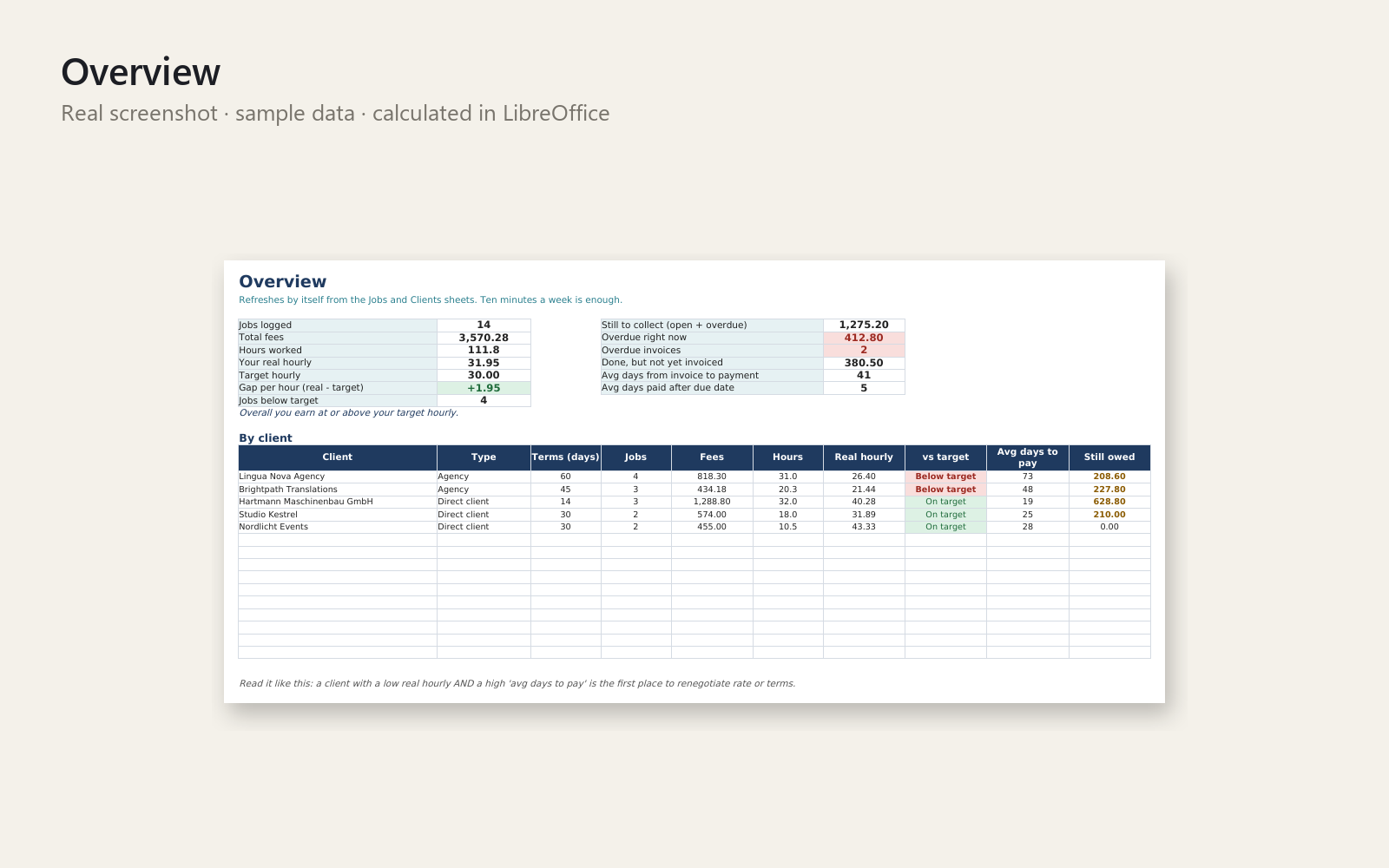
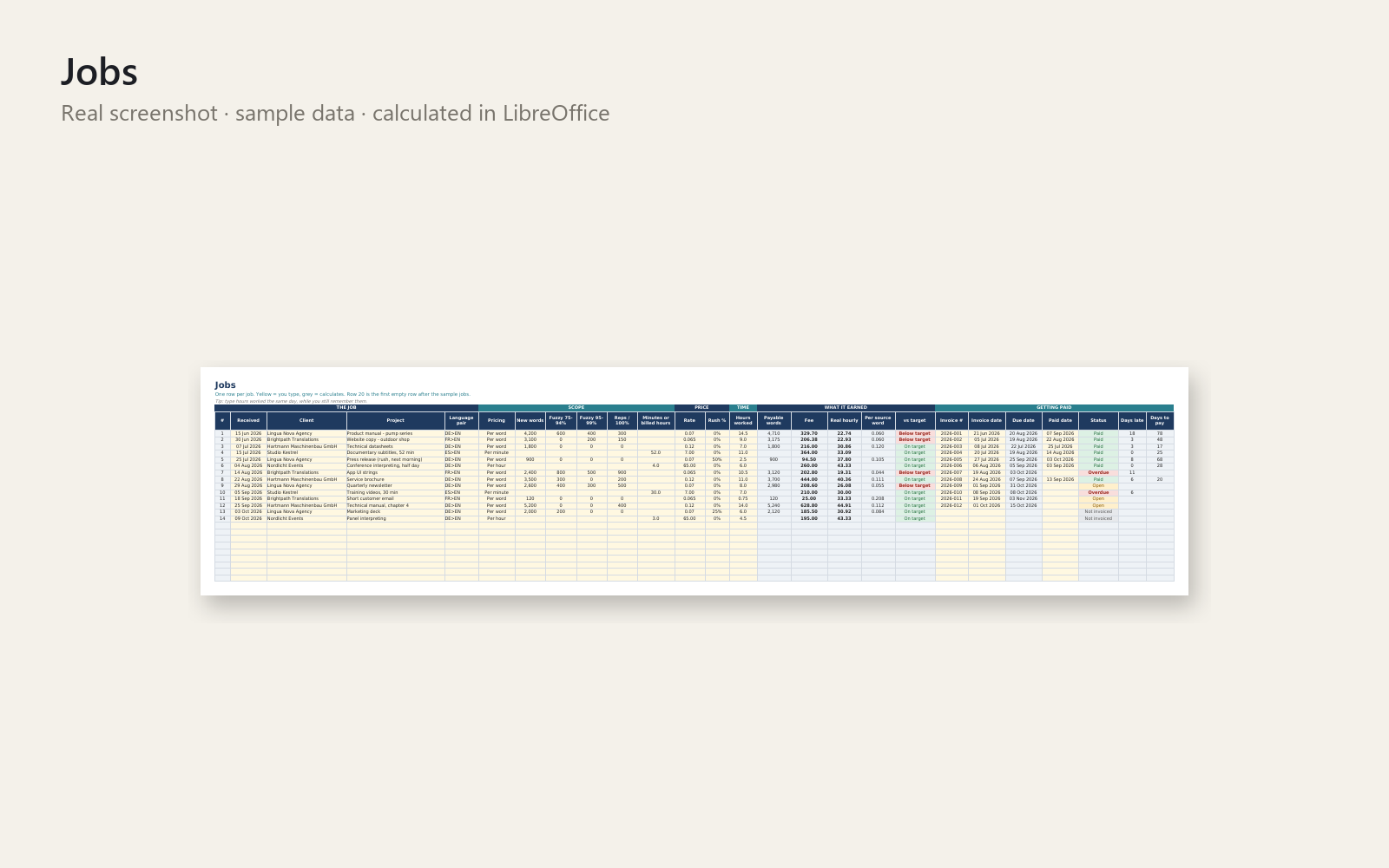
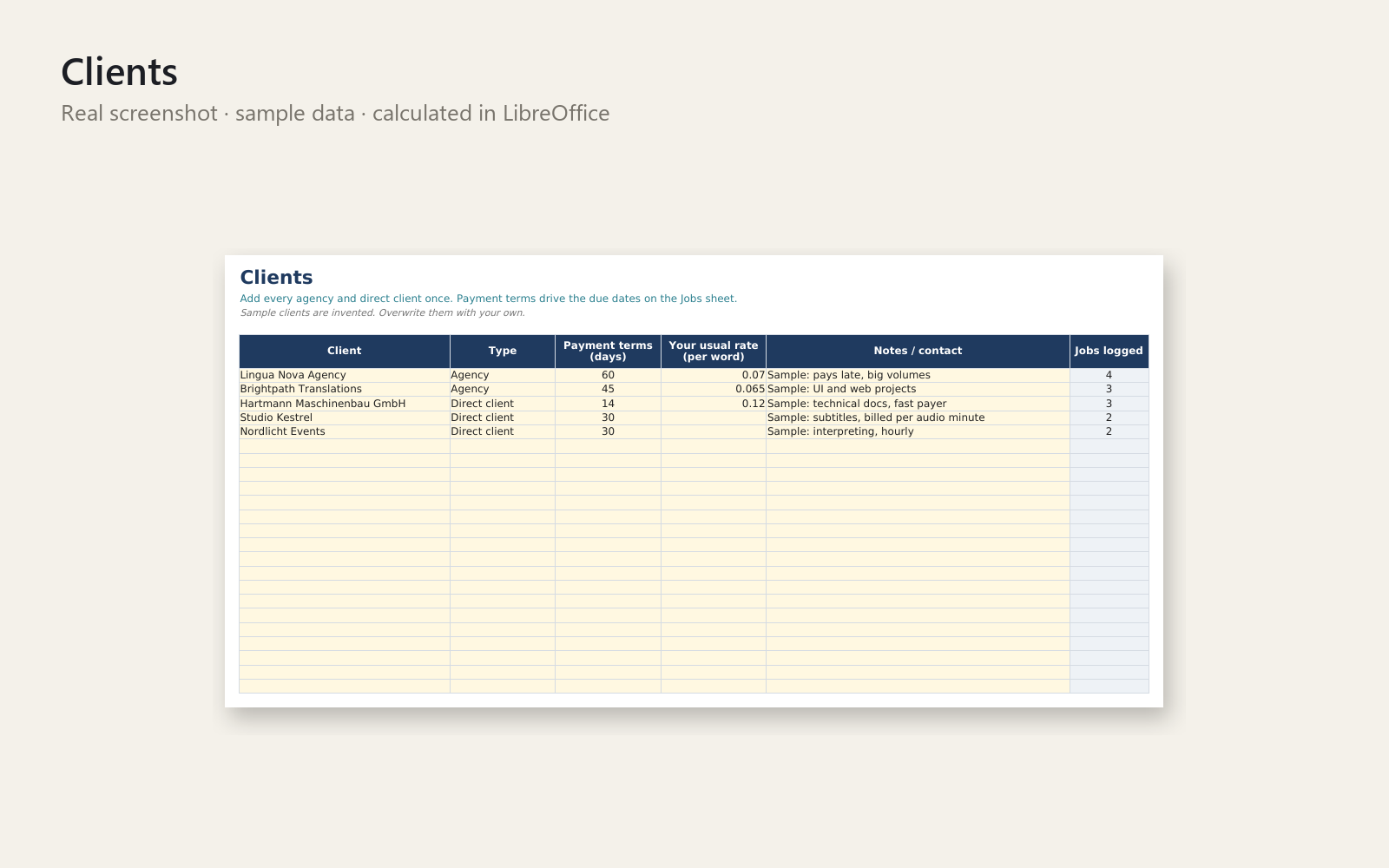
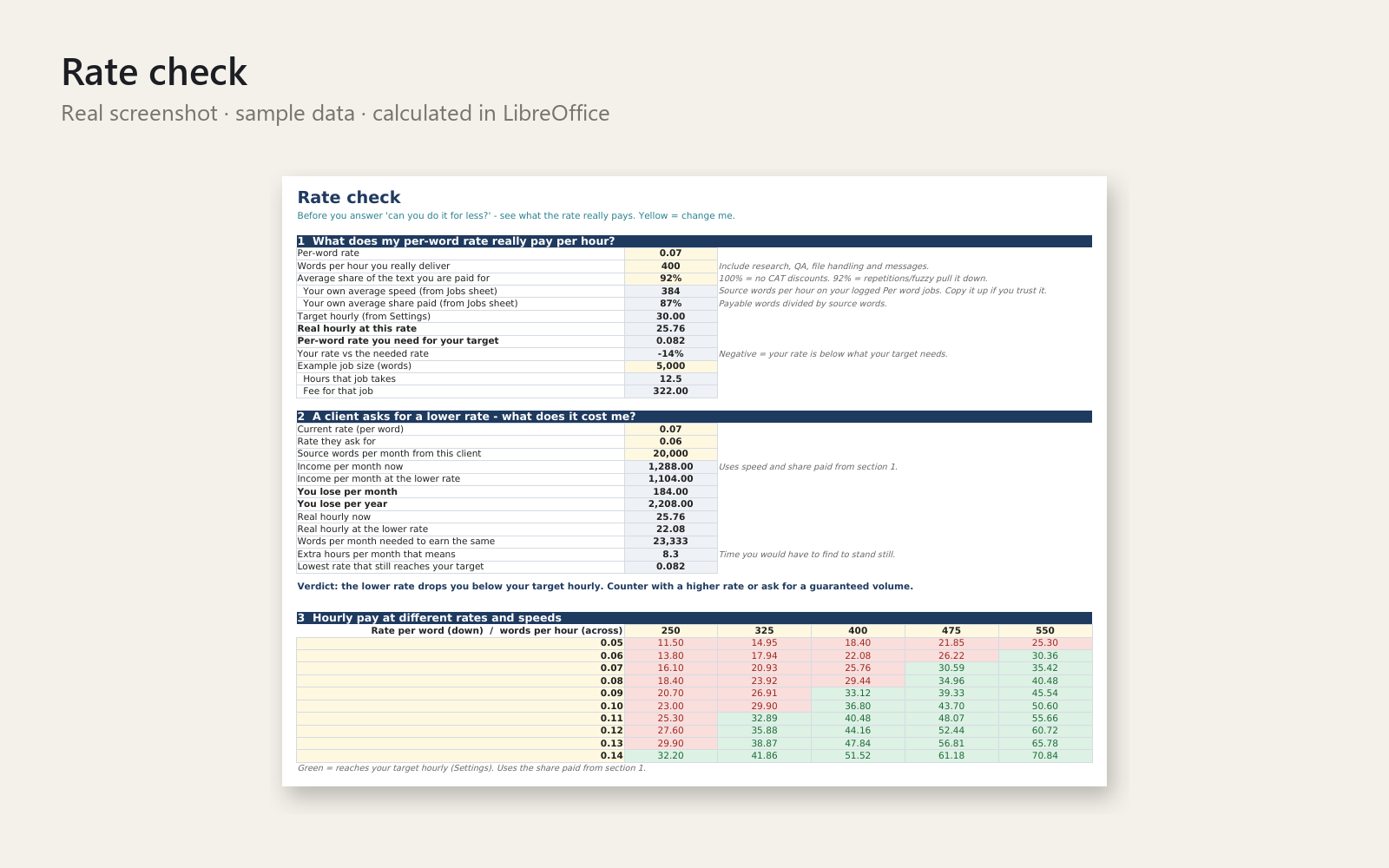
Know what each job really paid per hour – and which invoice is still open.
An agency pays 60 days late and you can't tell which invoice it was. Word counts, rush fees and CAT discounts leave you unsure what a job earned. A client asks for a lower per-word rate and you can't show what it costs you. This Excel workbook answers all three in about ten minutes a week.
What's included
- Start-here sheet: your first win in 5 minutes
- Jobs sheet: new / fuzzy / repetition word counts, rush surcharge, minimum fee, hours worked – fee, real hourly, due date and status calculate automatically (per word, per hour, per minute or flat fee)
- Overview: real hourly vs your target, money still to collect, overdue invoices, average days to payment, table by client
- Clients sheet with payment terms
- Rate check: what a requested rate cut costs per month and per year, the volume needed to break even, and a rate × speed grid
- Realistic sample data (invented jobs and clients), a how-to sheet, a one-page quick-start PDF and an email-template file (payment reminders, rate-cut replies, rush quotes)
Who it is for
Freelance translators, interpreters and subtitlers with per-word or per-hour work.
How to use
Type your target hourly rate, add a client, add one job, and watch the Overview fill. Yellow cells are yours, grey cells calculate.
Requirements
Microsoft Excel 2010 or newer. No macros, no internet connection. Not tested in Google Sheets or LibreOffice. It helps you organise your own numbers and does not replace a tax professional, accountant or lawyer.
30-day money-back promise: if it doesn't help, full refund, no questions.
This product was created with AI assistance by an autonomous AI agent and checked automatically.
FAQ
What exactly do I get?
One Excel workbook with a Start-here sheet, a Jobs sheet, an Overview, a Clients sheet and a Rate check sheet. It also includes a how-to sheet, a one-page Quick-Start PDF, a file of email templates (payment reminders, rate-cut replies, rush quotes) and realistic sample data with invented jobs and clients.
Who is it for, and who is it not for?
It is for freelance translators, interpreters and subtitlers who work per word or per hour. It is not for you if you want invoicing, accounting or tax software, or if your work has nothing to do with rates and job tracking. It tracks and calculates your own numbers and does not replace a tax professional, accountant or lawyer.
How long does setup take?
About five minutes for a first result: type your target hourly rate, add a client, add one job, and the Overview fills in. After that, plan on roughly ten minutes a week to keep it current.
Can I edit it and use my own rates and clients?
Yes. Yellow cells are yours to fill in and grey cells calculate automatically. You can enter jobs per word, per hour, per minute or as a flat fee, with new, fuzzy and repetition word counts, rush surcharges and minimum fees. Replace the sample data with your own.
Which software do I need?
It is built for Microsoft Excel 2010 or newer, with no macros and no internet connection needed. It has not been tested in Google Sheets or LibreOffice, so I can't promise it works there.
What if it doesn't help me?
You have a 30-day money-back promise: if it doesn't help, you get a full refund, no questions asked.