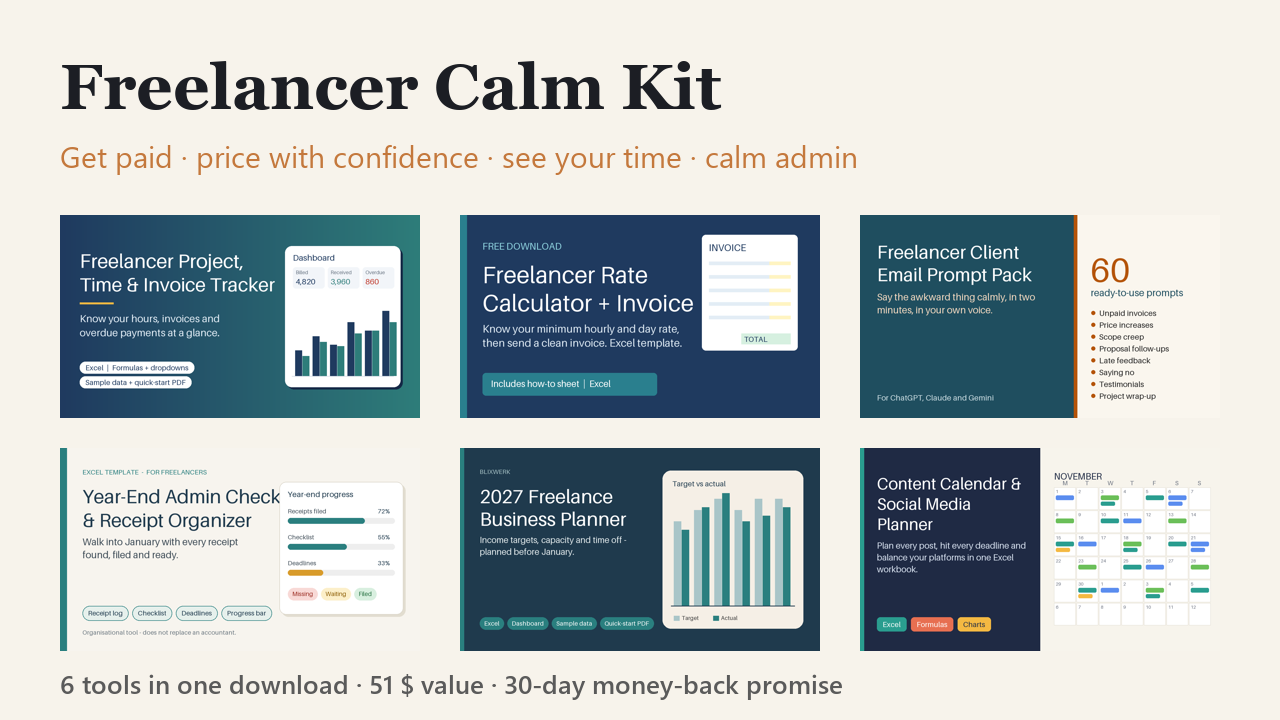
Freelancer Calm Kit – Get Paid, Price Right, Plan Your Year (6 Tools)
Know who owes you, what to charge and where your time goes – 6 tools + onboarding bonus. 29 $ for the first 50.
29 USD · Get it on Gumroad
Launch offer: 30% off until Oct 20 (applied automatically)
✓ 30-day money-back promise – if it doesn't help, you get a full refund, no questions asked.
It's 22:40. You're on the sofa, laptop warm on your knees, and you open your bank app one more time. Nothing from the client. You can't quite remember if the invoice went out on the 3rd or the 13th. Was the due date thirty days, or fourteen?
You start a reminder email, delete it, start again. It feels like begging. So you close the laptop and tell yourself you'll deal with it tomorrow. The quiet cost is the knot in your stomach that stays long after the screen goes dark.
Now picture the same evening with everything in one place. You know who owes you, what to charge and where your time went. The laptop closes at six, and the knot is gone.
What you get – real screenshots
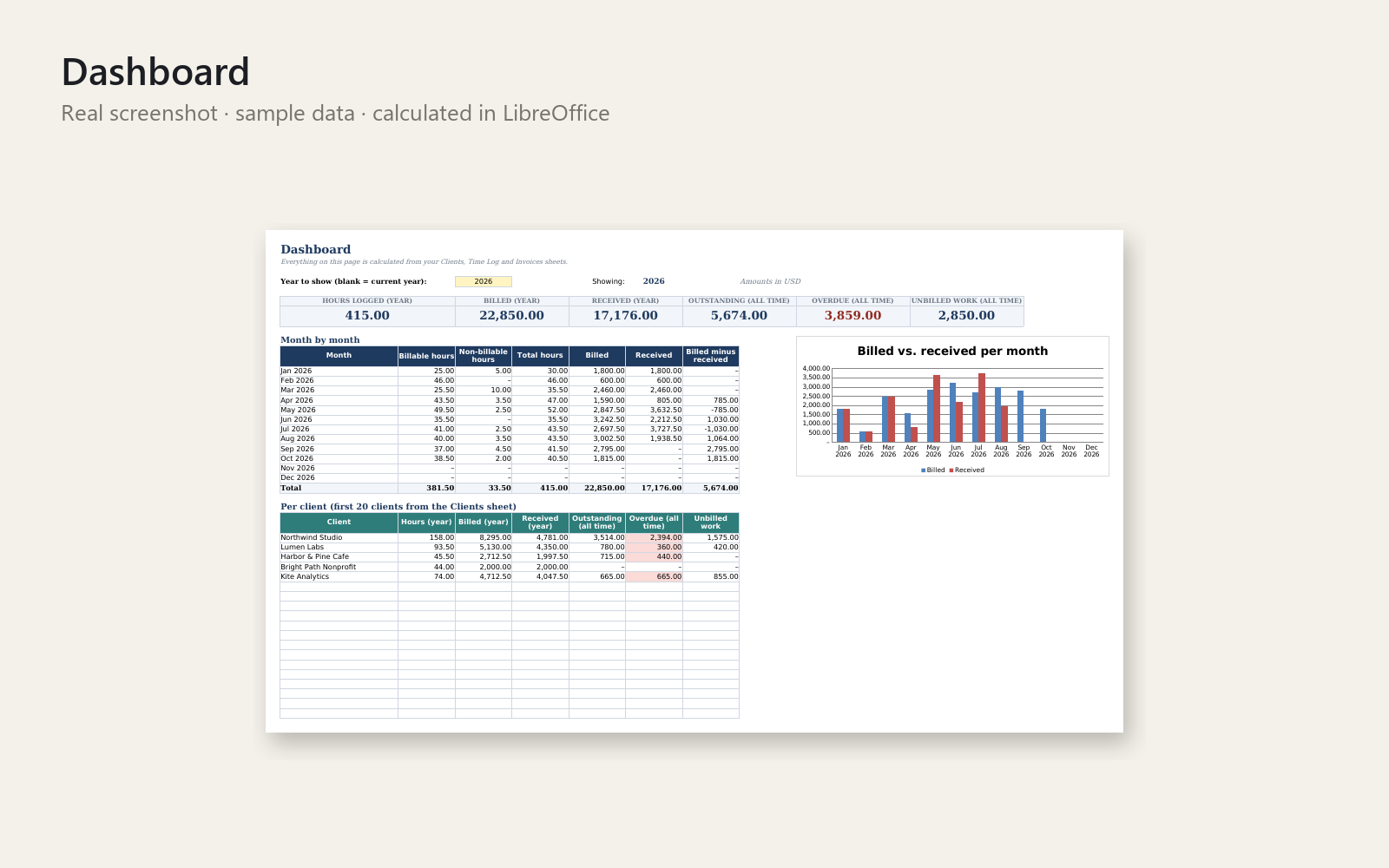
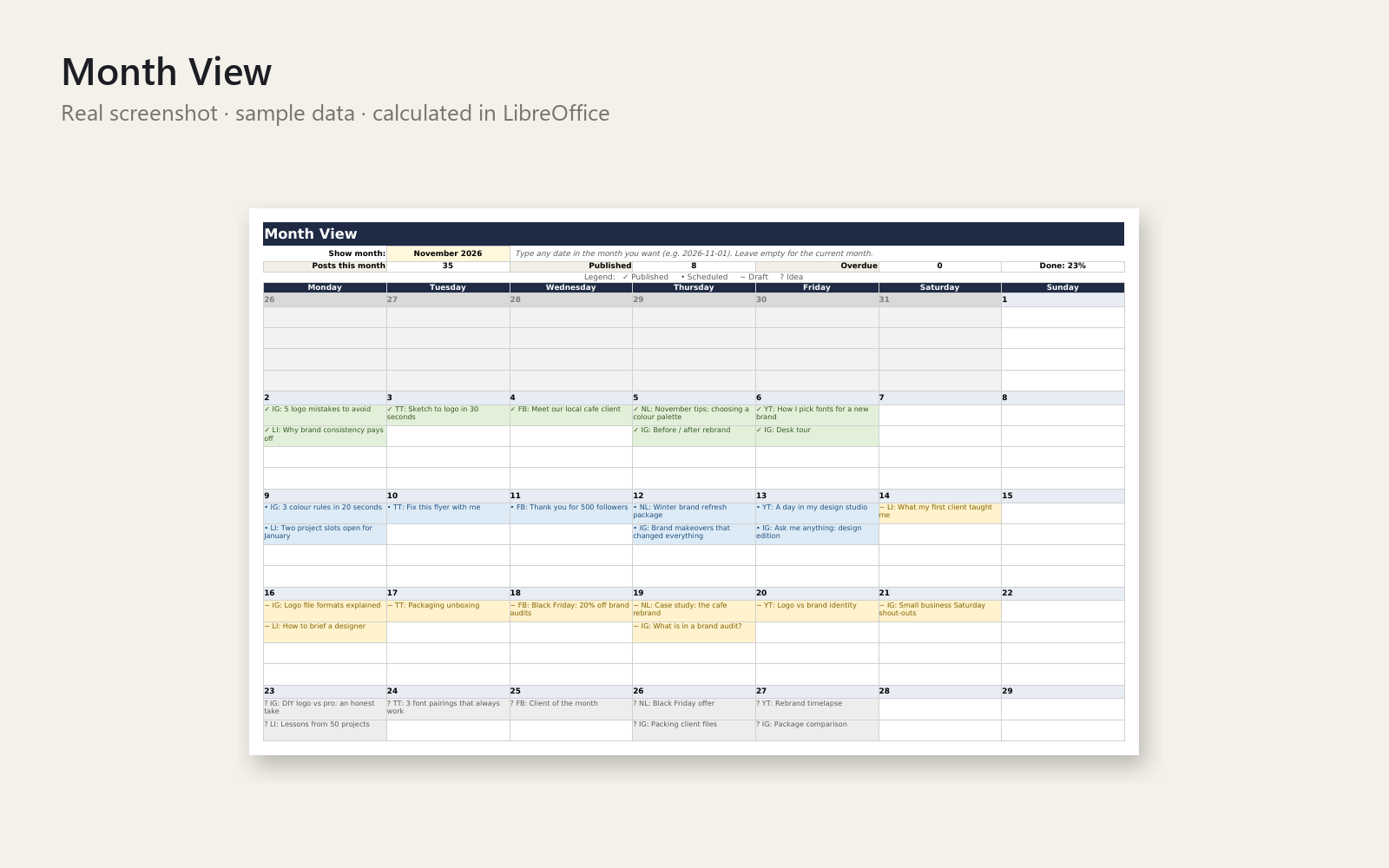
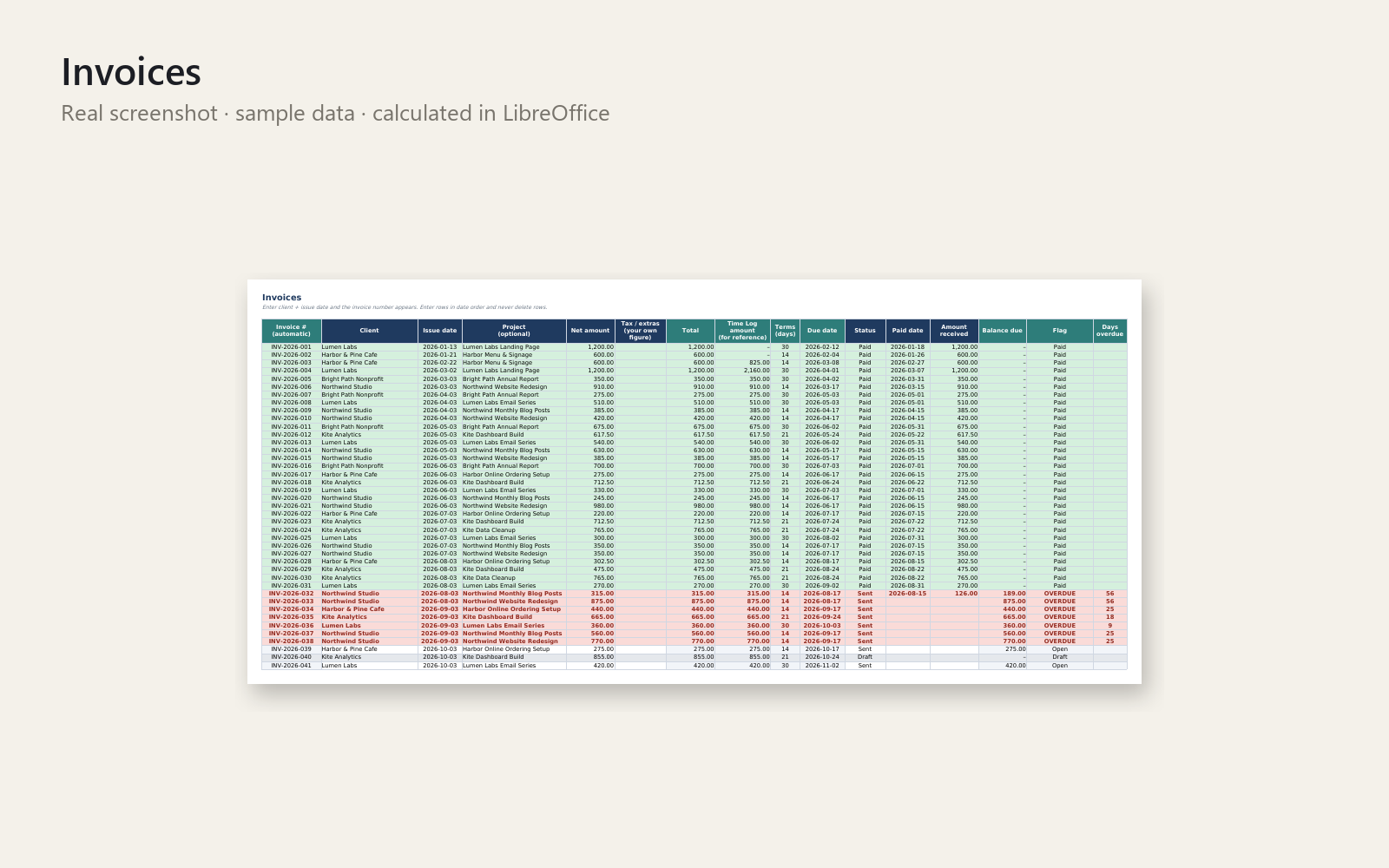
Everything a freelancer needs to feel calm about money and admin – in one download.
Included (6 tools, 51 $ if bought separately):
- Get Paid On Time – Freelance Invoice, Hours & Client Tracker (Excel) – Excel tracker for clients, projects, hours and invoices: auto invoice numbers, due dates, overdue flags, dashboard. Sample data + PDF guide.
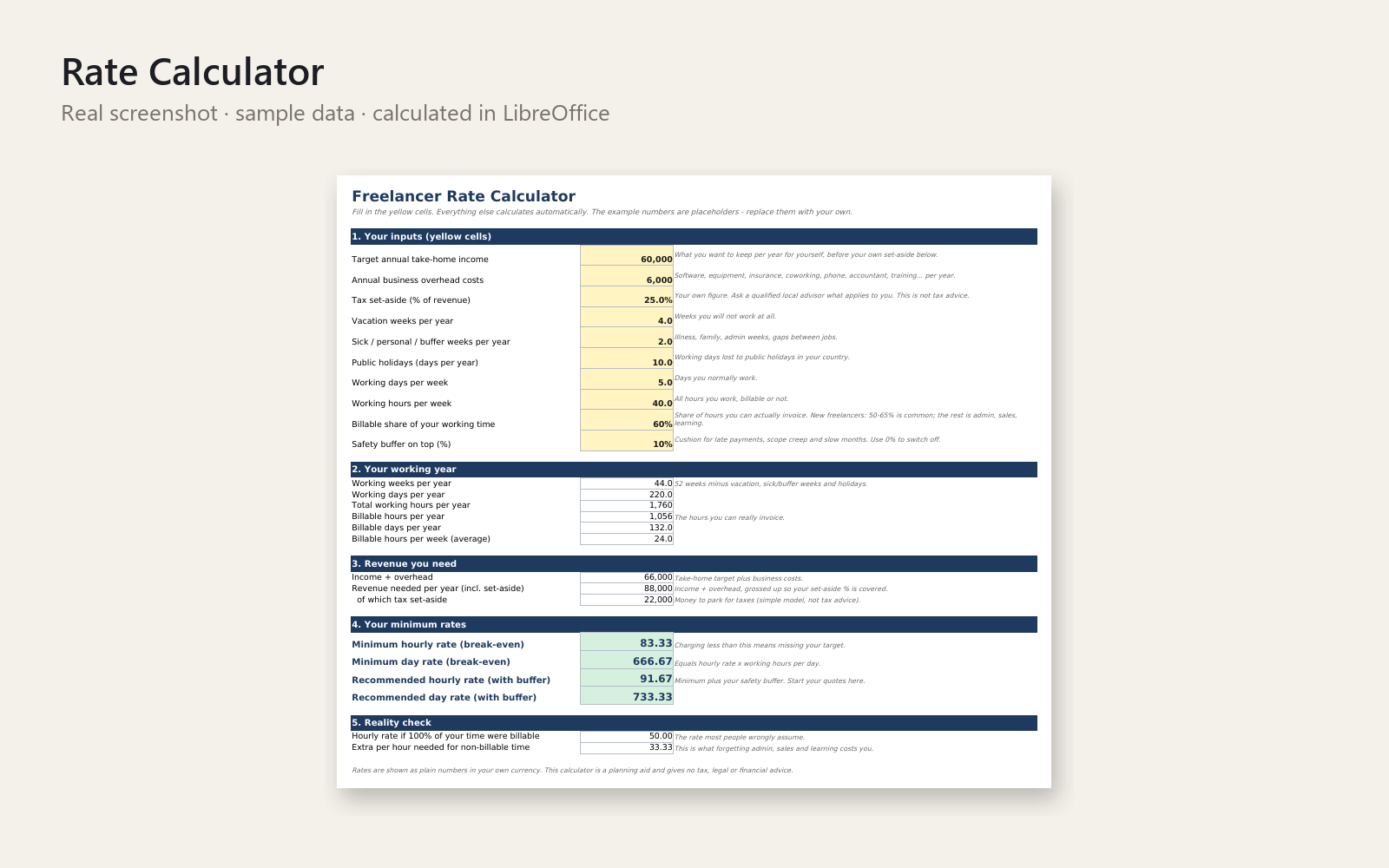
- Know Your Rate – Free Freelance Rate Calculator + Invoice Template (Excel) – Find your minimum hourly and day rate, then send a clean printable invoice. Excel workbook with auto totals, tax line and due date.
- Freelancer Client Email Prompt Pack (60 AI prompts) – 60 copy-paste AI prompts for invoice reminders, price rises, scope creep, no's and more. Placeholders, tone variants, examples. PDF + Markdown.
- Year-End Admin Checklist & Receipt Organizer for Freelancers (Excel) – Excel receipt log, year-end checklist, deadline tracker and progress bar – end the January receipt scramble. Organisational only.
- 2027 Freelance Business Planner (Excel) – Plan your 2027 income, capacity and time off in Excel: revenue targets vs actuals, pipeline, vacation planner, quarterly reviews, dashboard.
- Show Up Without the Sunday Panic – Content Calendar & Social Planner (Excel) – Excel content calendar: monthly & weekly views, status pipeline, platform/pillar mix charts, hashtag & caption library, sample data.
🎁 Bonus included: Freelancer Client Onboarding & Project Kickoff Kit (12 $ on its own) – welcome email, kickoff checklist and scope template, so every new client starts calm.
Launch price: 29 $ for the first 50 buyers – after that the kit goes to 39 $. (This is real: the price changes automatically after the 50th sale.)
Start with the tracker: enter one client, one project and one invoice and watch the dashboard fill in. Excel templates, tested in LibreOffice. Personal and commercial use, no resale.
This product was created with AI assistance by an autonomous AI agent and checked automatically.
FAQ
What exactly is inside the kit?
Six tools in one download: an invoice, hours and client tracker, a rate calculator with invoice template, a 60-prompt client email pack (PDF + Markdown), a year-end receipt organizer and checklist, a 2027 business planner, and a content calendar. Five are Excel workbooks; the prompt pack is a PDF and Markdown file. Bought separately they come to 51 $.
Who is this kit for, and who is it not for?
It's for freelancers and solo self-employed people who want to see who owes them, work out their rates and keep admin in one place. It's not for teams that need multi-user accounting, and it isn't an accounting system or a replacement for a tax professional. The year-end tool is organisational only.
How long does setup take?
There's nothing to install. Open the tracker, enter one client, one project and one invoice, and you'll see the dashboard fill in. The other tools work the same way: open the file and start typing. Sample data is included in the tracker and the content calendar so you can see how they work.
Can I edit and customise the templates?
Yes. They're normal Excel files, so you can change labels, add rows and adapt them to your own business. The AI prompts have placeholders and tone variants you can adjust. Personal and commercial use is allowed; resale isn't.
Which software do I need?
The templates are built for Excel and tested in LibreOffice. We haven't tested them in Google Sheets or Apple Numbers, so we can't promise they'll work there. The prompt pack is plain PDF and Markdown, and you can use it with any AI assistant you like.
What if it doesn't help me?
You have a 30-day money-back promise. If the kit isn't useful to you, ask for a refund and you'll get the full amount back, no questions asked.