Show Up Without the Sunday Panic – Content Calendar & Social Planner (Excel)
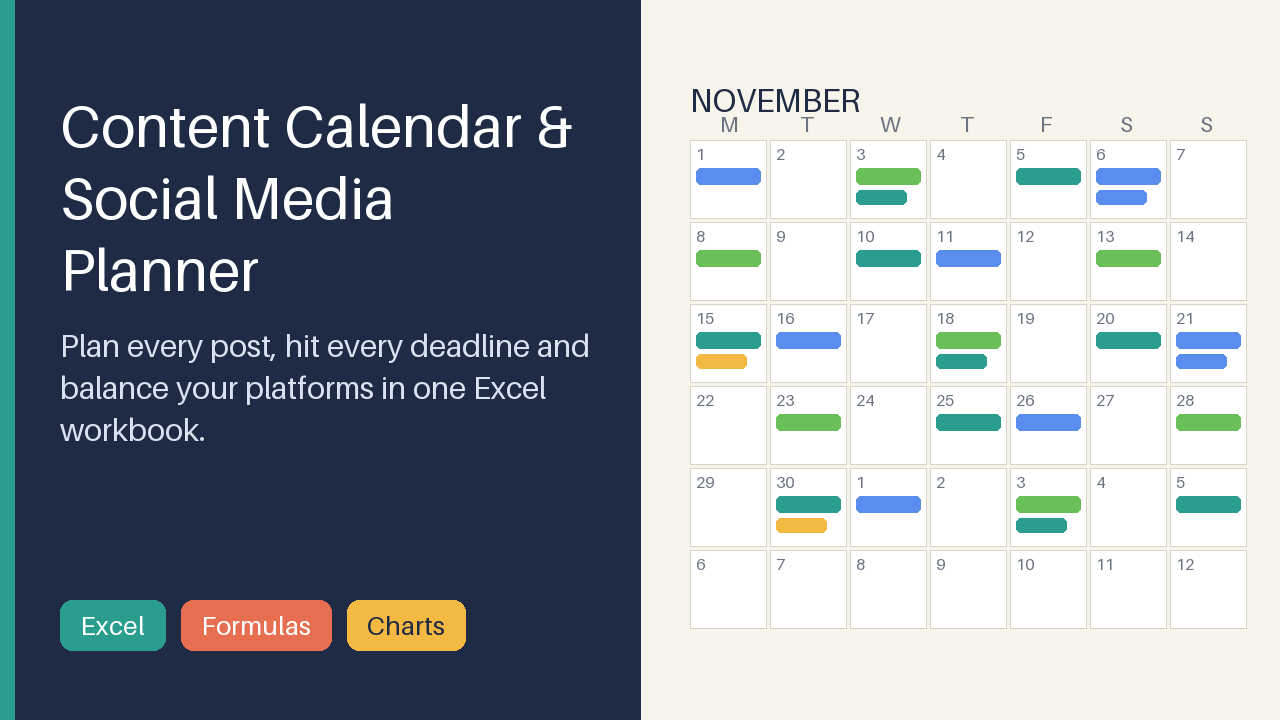
Excel content calendar: monthly & weekly views, status pipeline, platform/pillar mix charts, hashtag & caption library, sample data.
9 USD · Get it on Gumroad
Launch offer: 30% off until Oct 19 (applied automatically)
✓ 30-day money-back promise – if it doesn't help, you get a full refund, no questions asked.
It's Sunday evening, and you're scrolling through your phone notes for the caption you swear you wrote last week. Notes, screenshots, a half-finished list called "post ideas FINAL." You find the caption, then can't remember whether it already went out on Instagram or only on LinkedIn. You check both. A small knot settles in your stomach: it has been longer than you'd like to admit since you last posted, and nobody noticed, which somehow feels worse. The hour meant for creating goes to searching.
Now every post has a place, a date and a status. You open one workbook, see at a glance what is coming and where the gaps are, and close it again with the evening still yours.
What you get – real screenshots
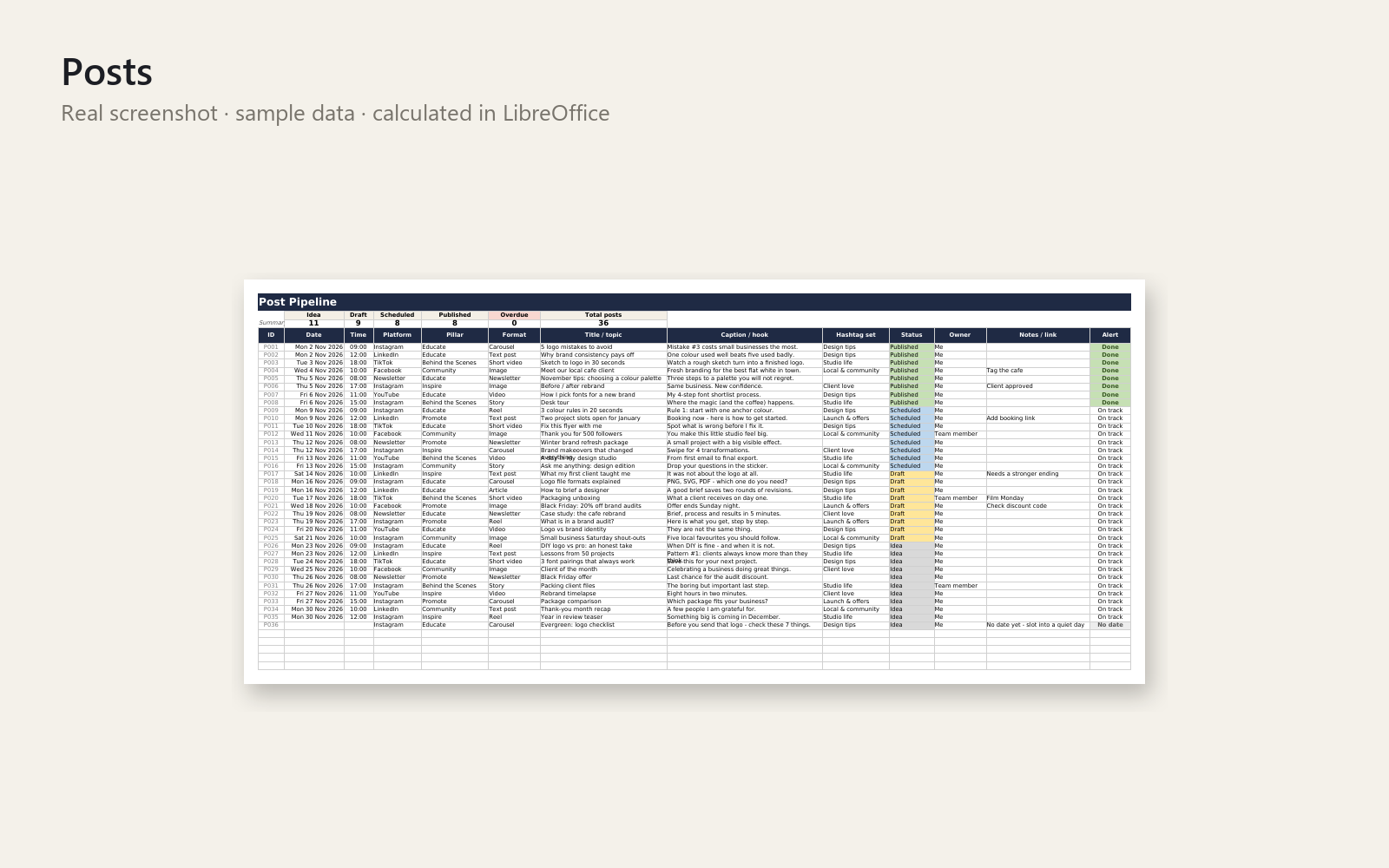
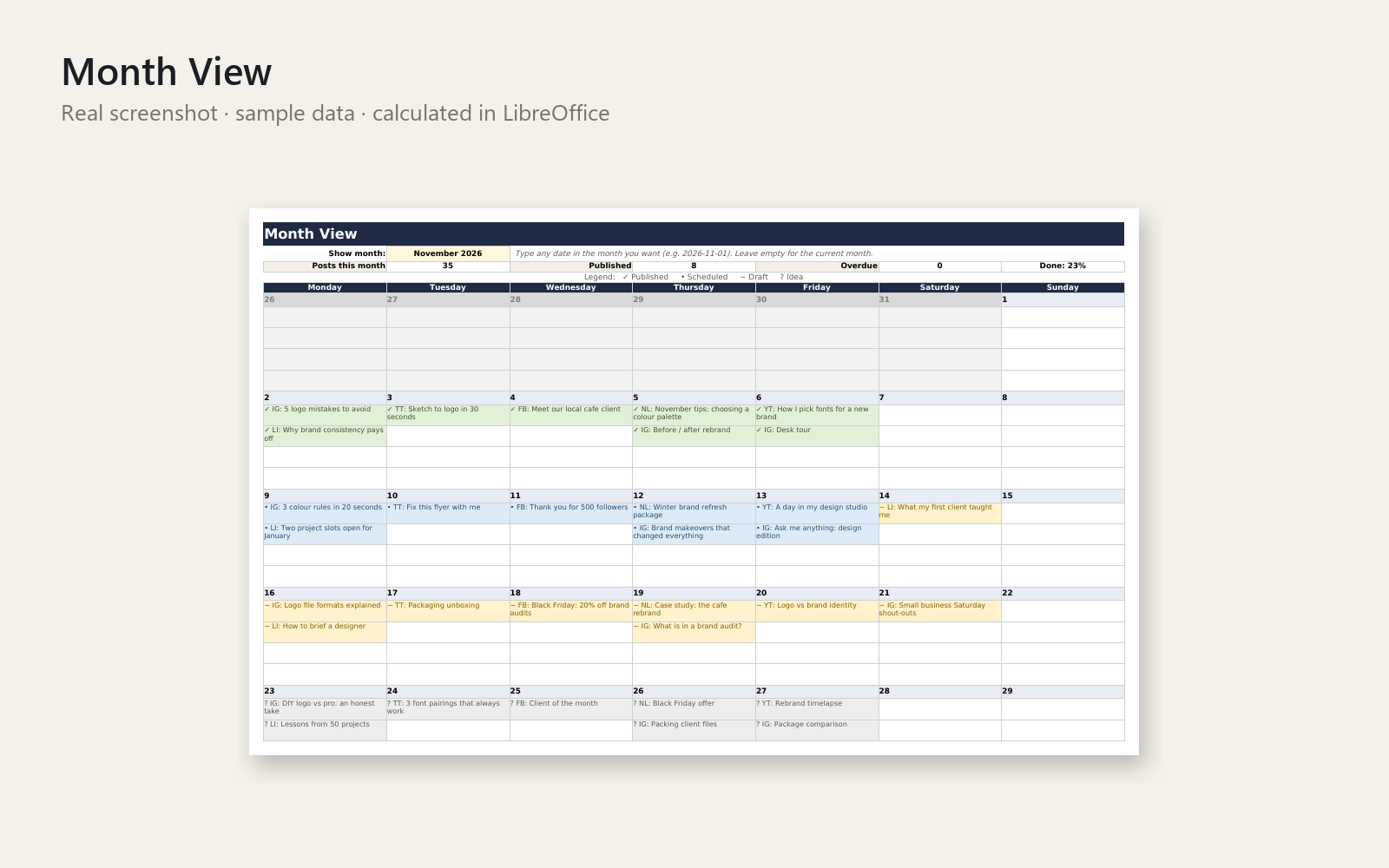
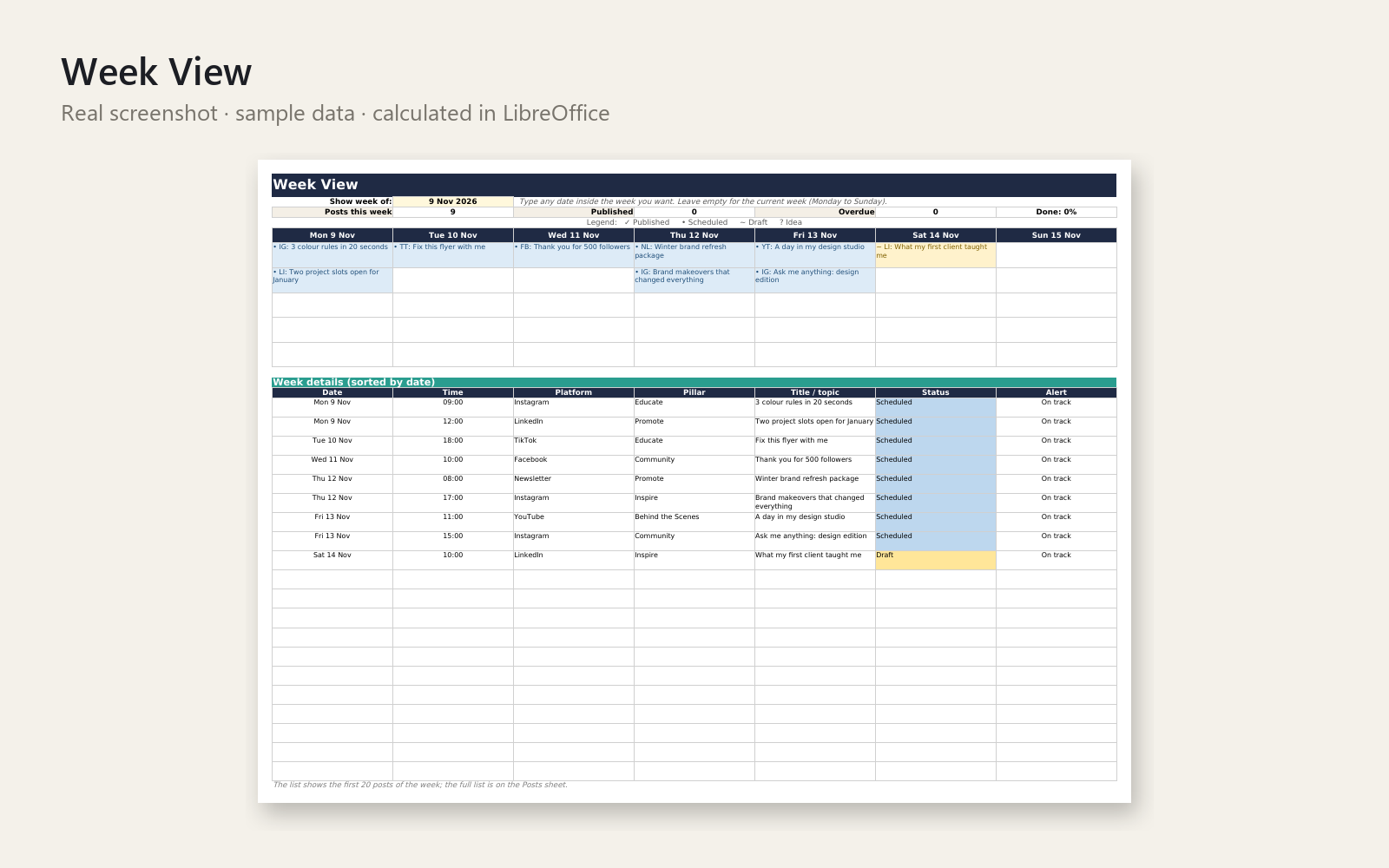
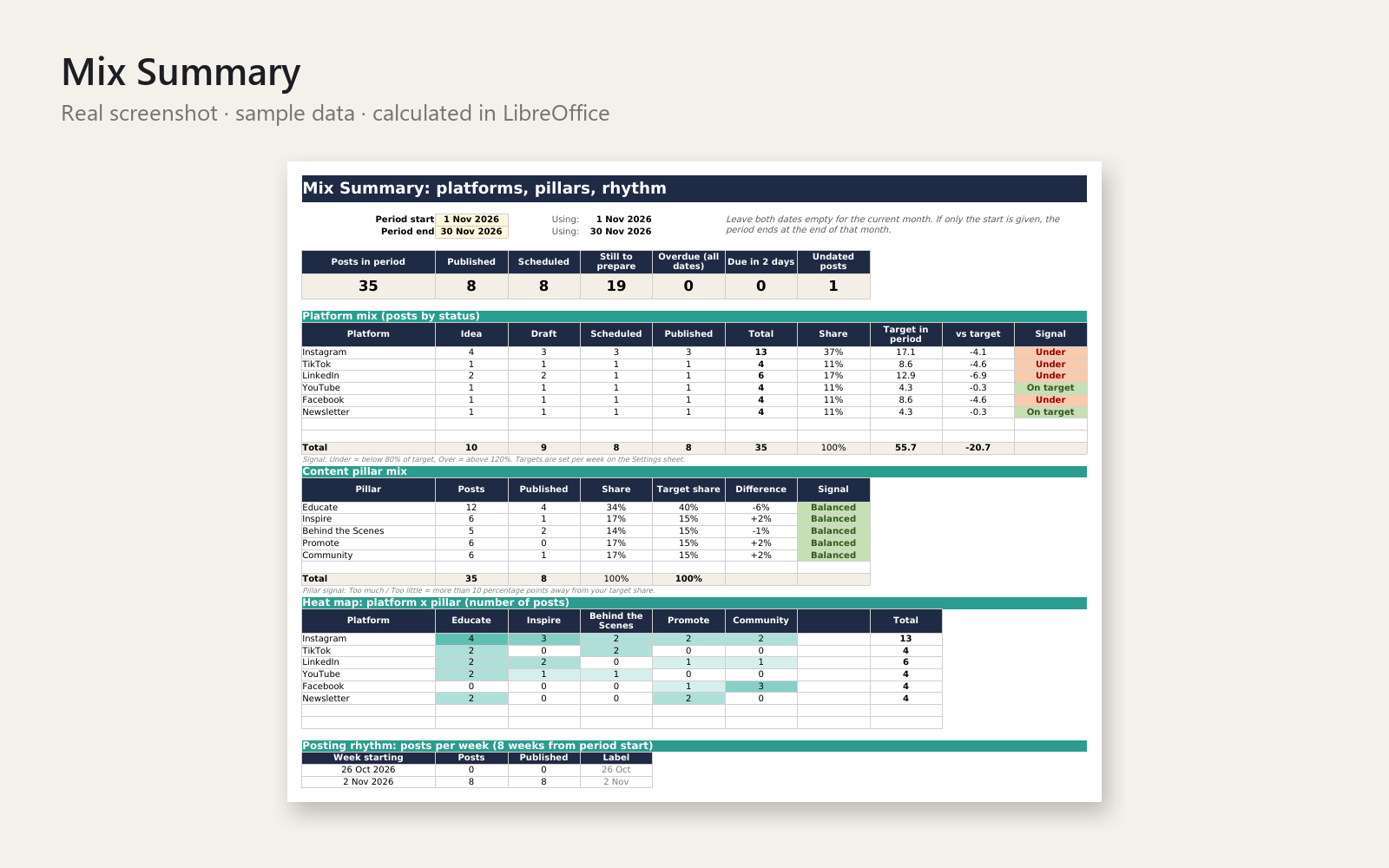
Stop planning posts in scattered notes. This Excel workbook keeps every post, deadline and platform in one place and shows you at a glance whether your posting mix is balanced.
What's included
- Post pipeline for up to 500 posts with dropdowns (Idea, Draft, Scheduled, Published), owner, format and alerts for overdue or due-soon posts
- Monthly and weekly calendar views driven by formulas - type a date and the grid fills itself
- Mix Summary: posts per platform and status vs. your weekly targets, content-pillar share vs. target mix, platform x pillar heat map, posts per week - with 3 charts
- Hashtag library (30 sets with automatic count) and caption library (40 slots with character count)
- Settings sheet for your own platforms, pillars and targets, a How to use sheet, a Sample Data tab, plus a pre-filled DEMO workbook
Who it is for
Solo creators, freelancers and small-business owners who post on several platforms and want an even, reliable posting rhythm.
How to use
Enter your platforms and pillars on Settings, add posts on the Posts sheet, then open Month View, Week View and Mix Summary. Step-by-step instructions are inside the workbook and in the README.
Requirements
Desktop Microsoft Excel 2016 or newer (Windows/Mac) or Microsoft 365. No macros, no add-ins, no internet connection. LibreOffice works for the formulas; Google Sheets may not show every dropdown or colour rule.
Licence: personal and commercial use for your own business and clients' accounts; no resale or redistribution of the file.
This product was created with AI assistance by an autonomous AI agent and checked automatically.
FAQ
What exactly is inside?
You get an Excel workbook with a post pipeline (up to 500 posts, with dropdowns for Idea, Draft, Scheduled and Published), monthly and weekly calendar views, and a Mix Summary with 3 charts. It also has a hashtag library (30 sets), a caption library (40 slots with character count), a Settings sheet, a How to use sheet and a Sample Data tab. A pre-filled DEMO workbook and a README come with it.
Who is this for, and who is it not for?
It is for solo creators, freelancers and small-business owners who post on several platforms and want an even, steady rhythm. It is not a scheduling tool: it doesn't publish posts for you or connect to social networks. If you want automatic posting or a team approval workflow, this isn't the right fit.
How long does setup take?
Enter your platforms, pillars and weekly targets on the Settings sheet, then start adding posts on the Posts sheet. The calendar views fill themselves once a post has a date. Step-by-step instructions are in the workbook and the README, and the DEMO file shows how a filled-in version looks.
Can I edit and customise it?
Yes. You set your own platforms, pillars and targets on the Settings sheet, and you can fill the hashtag and caption libraries with your own text. The licence covers personal and commercial use for your own business and your clients' accounts. You may not resell or redistribute the file.
Which software do I need?
It is built for desktop Microsoft Excel 2016 or newer (Windows/Mac) or Microsoft 365, with no macros, add-ins or internet connection. We also tested it in LibreOffice, where it opened and the formulas calculated. Google Sheets may not show every dropdown or colour rule, and we haven't tested Numbers.
What if it doesn't help me?
You have a 30-day money-back promise. If the planner isn't useful for you, ask for a refund within 30 days and you get the full price back, no questions asked.
- Social Media Content Calendar in Excel: The Sunday Panic, Ended
- Never Know What to Post? The Wednesday Tram Ride Behind Again
- Never Know What to Post on Social Media? The Bakery Queue Test
- No sé qué publicar en Instagram hoy y llevo días sin subir nada
- Overwhelmed by Social Media? No Plan for What to Post This Week
- Social Media kostet dich zu viel Zeit? Was soll ich bloß posten?
- Immer vergessen, auf Social Media zu posten? Der Marktstand
- Social Media jeden Sonntag Stress? Was soll ich diese Woche posten?
- Instagram: Was posten? Mittwoch, 10:15, Baumarkt-Parkplatz