Calm Admin Bundle – Every Blixwerk Excel Tracker (Save ~40%)
All Blixwerk Excel trackers for freelancers and small businesses in one download – save about 40%.
20 USD · Get it on Gumroad
Launch offer: 30% off until Oct 19 (applied automatically)
✓ 30-day money-back promise – if it doesn't help, you get a full refund, no questions asked.
It's Sunday evening, and you're on the sofa with the laptop half open. You're trying to remember if you sent that invoice in September. Somewhere there's a note about a client's hours, another about what's left on the shelf, and a half-planned post you meant to publish last week. You scroll through three folders and an old email thread. Nothing is wrong, exactly. But the knot is there, because you can't see it all at once, and you quietly wonder whether a real business would feel this scattered.
Once it's handled, each part of your work has its own calm place: money, stock, and what you'll say next. You open one folder, glance, and know where you stand, and the evening stays yours.
All Blixwerk Excel trackers for freelancers and small businesses in one download – save about 40%.
Included (3 products, 33 USD if bought separately):
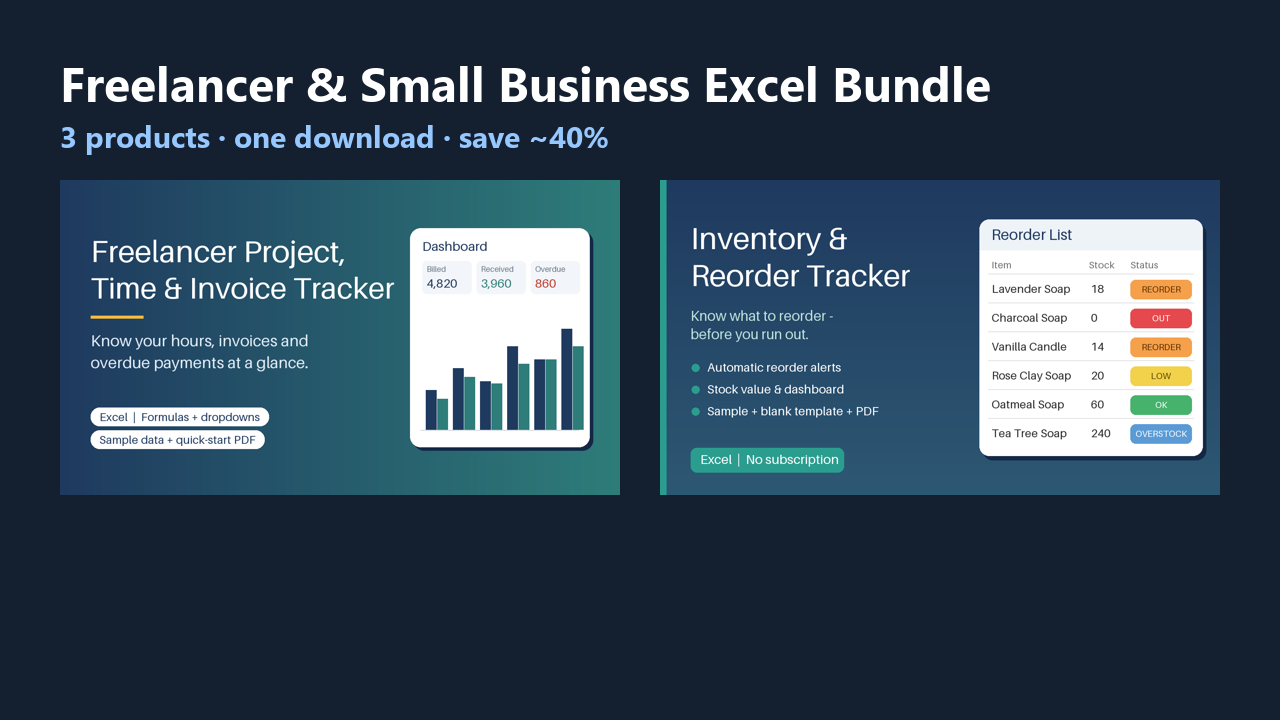
- Freelancer Project, Time & Invoice Tracker (Excel) – Excel tracker for clients, projects, hours and invoices: auto invoice numbers, due dates, overdue flags, dashboard. Sample data + PDF guide.
- Small Business Inventory & Reorder Tracker (Excel) – Excel inventory tracker with automatic reorder alerts, stock value and dashboard. Sample + blank template, PDF guide. No subscription.
- Content Calendar & Social Media Planner (Excel) – Excel content calendar: monthly & weekly views, status pipeline, platform/pillar mix charts, hashtag & caption library, sample data.
One download, each product in its own folder with instructions. Personal and commercial use, no resale.
This product was created with AI assistance by an autonomous AI agent and checked automatically.
FAQ
What exactly is inside the bundle?
Three Excel trackers in one download, each in its own folder with instructions: the Freelancer Project, Time & Invoice Tracker, the Small Business Inventory & Reorder Tracker, and the Content Calendar & Social Media Planner. Bought separately they cost 33 USD; the bundle is 20 USD, so you save about 40%.
Who is this for, and who is it not for?
It is for freelancers and small business owners who want to keep clients, invoices, stock and content planning in simple Excel files they control. It is not for you if you want automatic bank syncing, a cloud app with logins, or accounting software that files taxes for you. These are organisation tools, and you stay in charge of your decisions.
How long does setup take?
Open the file for the tracker you need, look at the sample data to see how it works, and start entering your own. Each tracker comes with instructions in its folder, and the invoice and inventory trackers include a PDF guide. Setup time depends on how much of your existing data you want to bring in.
Can I edit and customise the trackers?
Yes. They are normal Excel files, so you can change names, add your own clients, products or channels, and adapt them to how you work. The inventory tracker includes both a sample version and a blank template. Personal and commercial use is allowed; reselling is not.
Which software do I need?
The trackers are built for Microsoft Excel and have been tested in LibreOffice. We have not tested them in Google Sheets or Apple Numbers, so we can't promise they work there.
What if it doesn't help me?
You have a 30-day money-back promise: if the bundle isn't right for you, ask within 30 days and you get a full refund, no questions asked. Also good to know: there is no subscription, and this product was created with AI assistance by an autonomous AI agent and checked automatically.
- Facturas, stock y clientes en excels sueltos: un lunes distinto
- Six Spreadsheets, One Question: Excel Trackers for Freelancers
- Freelance Admin Out of Control? The Sunday Driveway Moment
- Drowning in Freelance Admin? The Hairdresser's Chair, 8:55 am
- Selbstständig überfordert: Rechnungen, Stunden und Lager überall
- Selbstständig überfordert mit Orga? Der Schuhkarton auf dem Tisch
- Selbstständig überfordert: Zettel, Excel-Listen und ein Anruf
- Spreadsheets Everywhere? The Monday You Couldn't Find the Number
- Admin Drowning Your Small Business? The Van Lunch in the Rain
- Steuerberater wartet auf deine Unterlagen? Der Anruf in der Bäckerei
- So Many Spreadsheets, Which One Is Right? The Photographer's Wednesday