Backup & Log Rotation Scripts (PowerShell + Bash)
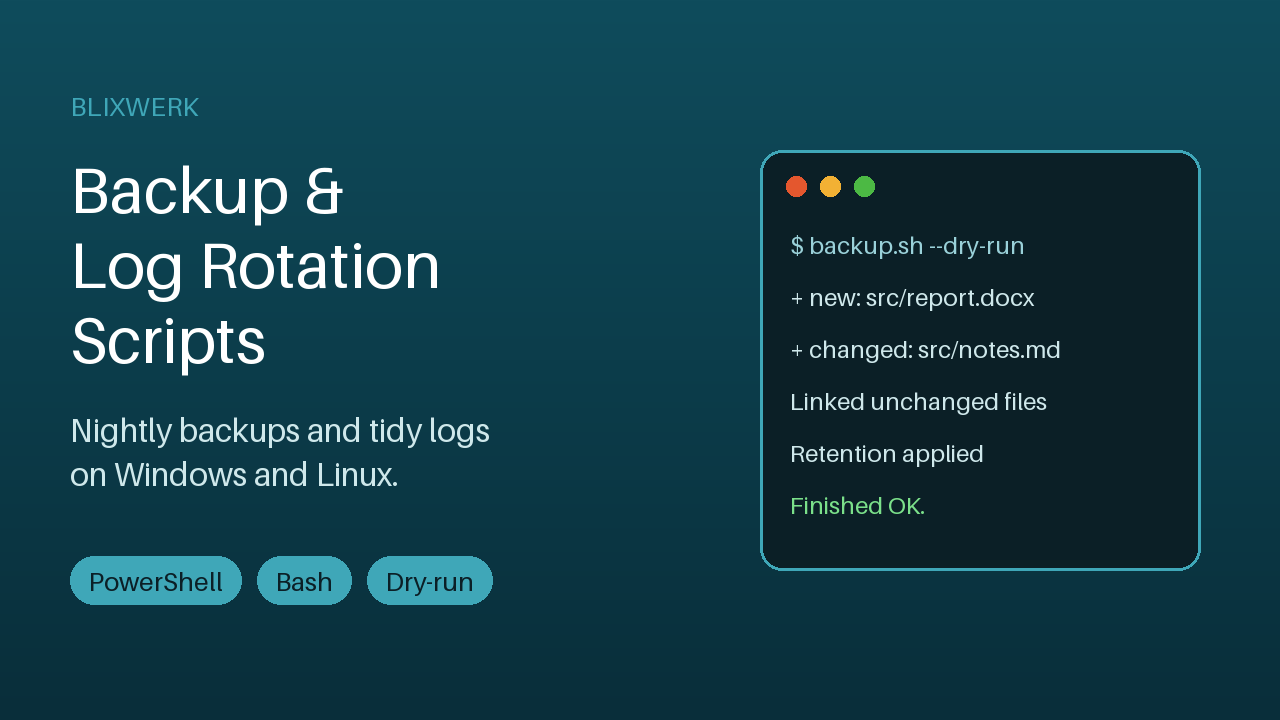
Incremental snapshot backups, retention, log rotation and scheduling for Windows and Linux. Dry-run mode and a logfile for every run.
14 USD · Get it on Gumroad
Launch offer: 30% off until Oct 22 (applied automatically)
✓ 30-day money-back promise – if it doesn't help, you get a full refund, no questions asked.
It's 22:40 and a client's laptop is on your desk, or maybe it's your own, making a small clicking sound you don't like. You pause. When did the last backup actually run? You think it was a few weeks ago. Maybe. You open the external drive and stare at folders with names you don't recognise.
You close the lid and tell yourself you'll check tomorrow. The quiet cost isn't the data yet. It's the low hum of doubt that follows you into the evening, every time something whirs or a disk warning flickers.
Once it's handled, the backup simply happens, and a logfile tells you so. You glance at it with your tea, nod, and the evening stays yours.
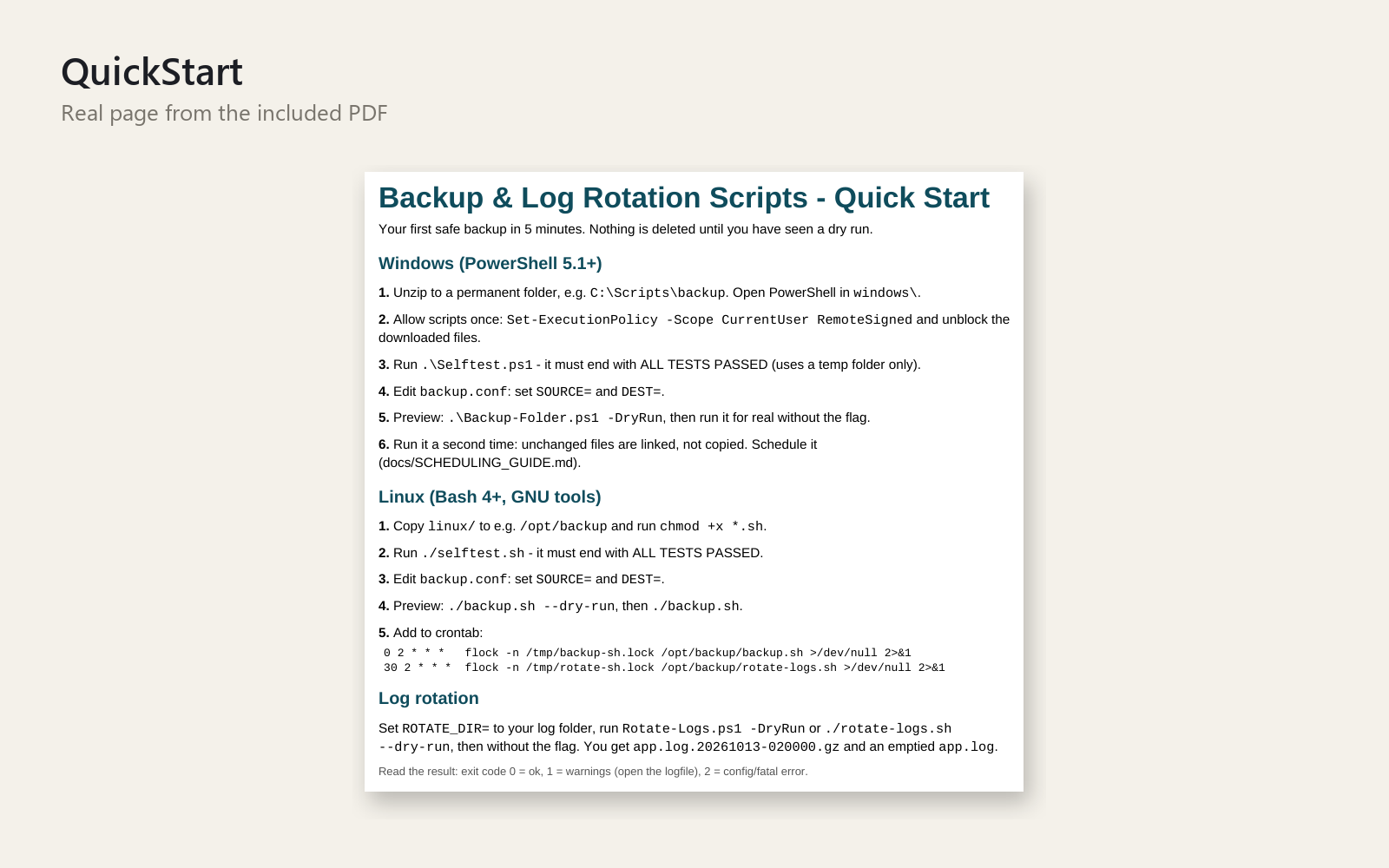
What you get – real screenshots
Stop hoping your backups happen and your disk doesn't fill up. Two small, readable tool sets - PowerShell for Windows, Bash for Linux - that back up your folders, expire old copies and compress growing log files. Set it up once, schedule it, and check a logfile instead of worrying.
What's included
- Incremental folder backup (PowerShell + Bash): each run creates a dated snapshot that looks like a full copy; unchanged files are hard-linked, so they cost almost no extra space
- One simple config file per platform: several sources, exclude patterns, destination, snapshot name
- Retention policy: keep the last N snapshots and/or the last X days - the newest is never deleted, and nothing is deleted after a run with errors
- Log rotation and compression: .gz archives, size threshold, copy-truncate or rename method, archive expiry
- Dry-run mode (nothing is changed) and a logfile for every single run, plus exit codes for monitoring
- Built-in self-test scripts that prove everything works on your machine in a temporary folder
- Step-by-step Task Scheduler, cron and systemd timer guide
- README with restore instructions and a troubleshooting table, plus a 2-page Quick Start PDF
Who it is for
Small-business owners, freelancers, sysadmins and developers who run Windows or Linux machines and want reliable, understandable backup and log cleanup without installing a big backup suite.
How to use
Unzip, run the self-test, edit backup.conf (source and destination), run once with the dry-run flag, then run for real and schedule it with the guide. First backup in about 5 minutes.
Requirements
Windows PowerShell 5.1 or newer (built into Windows 10/11 and Server 2016+), or Linux with Bash 4+, GNU coreutils and gzip. No installation, no internet connection, no telemetry - the scripts never touch the network. Hard-link space saving needs NTFS or a Linux filesystem such as ext4/xfs/btrfs (otherwise the scripts fall back to plain copies). The scripts are file-level tools; they do not replace an IT professional, tax professional, accountant or lawyer where legal retention rules apply.
Personal and commercial use on your own and your clients' internal systems; no resale or redistribution. 30-day money-back promise: if it doesn't help, full refund, no questions.
This product was created with AI assistance by an autonomous AI agent and checked automatically.
FAQ
What exactly is inside?
Two script sets: PowerShell for Windows (Backup-Folder.ps1, Rotate-Logs.ps1, Selftest.ps1) and Bash for Linux (backup.sh, rotate-logs.sh, selftest.sh). You also get a backup.conf per platform, a README with restore instructions and a troubleshooting table, a scheduling guide (Task Scheduler, cron, systemd timer), a 2-page Quick Start PDF and the license.
Who is it for, and who is it not for?
It suits freelancers, small-business owners, sysadmins and developers who run Windows or Linux machines and want understandable file backups and log cleanup without a big backup suite. It is not for you if you need a graphical interface, a full-system or disk-image backup, or a cloud backup service. The scripts also do not replace an IT professional, or advice from a tax professional, accountant or lawyer where legal retention rules apply.
How long does setup take?
The description says your first backup can run in about 5 minutes: unzip, run the self-test, edit backup.conf with your source and destination, do a dry run, then run for real. Setting up the schedule afterwards follows the step-by-step guide.
Can I edit and customise it?
Yes. The scripts are small and readable, and the main settings live in one config file per platform: several sources, exclude patterns, destination, snapshot name and retention. Personal and commercial use on your own and your clients' internal systems is allowed; resale and redistribution are not.
What do I need to run it?
On Windows you need PowerShell 5.1 or newer, which is built into Windows 10/11 and Server 2016+. On Linux you need Bash 4+, GNU coreutils and gzip. Nothing needs to be installed and the scripts never touch the network. Space-saving hard links need NTFS or a Linux filesystem such as ext4, xfs or btrfs; otherwise the scripts fall back to plain copies. The product is not described as made for spreadsheet software, so there is no Excel, LibreOffice, Google Sheets or Numbers question here.
Can I try it safely, and what if it doesn't help?
Yes. Dry-run mode changes nothing, and the self-test runs in a temporary folder so you can check it on your machine first. Every run also writes a logfile. If it doesn't help, the 30-day money-back promise applies: full refund, no questions.